If you’re comparing Outlook and Gmail for business security, this probably isn’t a casual choice.
Maybe you’ve had a phishing scare that got uncomfortably close. Maybe leadership asked, “Are we actually secure here?” — and you couldn’t answer with full confidence. Or maybe compliance, audits, or client expectations are starting to matter more than they used to.
At this stage, the concern isn’t features on a pricing page. It’s choosing an email system you won’t have to defend later — after an incident, a review, or a hard internal question.
That’s what makes the Outlook vs. Gmail decision worth slowing down for. Not because one is “better,” but because each handles control, risk, and responsibility very differently.
In this article, I focus on the security details that actually affect business risk — how Outlook and Gmail handle threats, control, and accountability in 2025.
Short on time? Here’s the quick way to think about it:
- Choose Outlook for Business if your organization needs tighter administrative control, clearer audit trails, or operates in a regulated environment where security decisions need to be defensible.
- Choose Gmail for Business if you want strong, default security with less hands-on management — and your priority is keeping teams productive without adding operational complexity.
- Bottom line: Both are secure. The difference is how much control you need and how much responsibility you want to carry.
Outlook vs Gmail for Business Security at a Glance
 Before choosing a platform, it helps to see how they truly compare.
Here’s a side-by-side look at how Outlook and Gmail stack up on key security fronts in 2025 — from encryption and compliance to phishing protection and privacy.
Use it as a quick checkpoint to spot strengths, gaps, and what might matter most for your business.
| Feature | Outlook (Microsoft 365) | Gmail (Google Workspace) | What This Means (in Plain Terms) |
|—-|—-|—-|—-|
| Encryption | TLS encryption in transit, encryption at rest, and S/MIME support for end-to-end encryption in enterprise environments. Also includes a two-click encrypted email view for enhanced access control. | TLS + AES-class at rest; Client-side encryption available for enterprise tiers. | Both keep your emails protected while moving or stored. But Outlook goes further — you can send an encrypted email that only the intended person can open, even if it lands in the wrong inbox. Gmail now offers full end-to-end encryption for enterprises, giving businesses tighter control over data privacy. |
| Advanced Threat Protection | Uses machine learning and heuristics to scan and block phishing, malware, and zero-day threats in real time. | AI-based spam and phishing filters with frequent updates. Confidential Mode adds another layer for sensitive messages. | Both block most threats automatically. Outlook’s protection is designed for bigger teams that face targeted attacks, while Gmail’s system is better suited for general business use — simple, automatic, and reliable. |
| Two-Factor Authentication (2FA) | Supported | Supported | Both add an extra verification step when signing in. Even if someone steals your password, they still can’t get in without your phone or verification code. |
| Compliance | Aligned with GDPR, HIPAA, and other strict data privacy regulations. Ideal for regulated industries. | Strong privacy protections, though with less formal compliance coverage. | Outlook is the safer choice for healthcare, finance, or legal teams that need to meet industry laws. Gmail works well for most businesses but may need extra compliance tools for tighter regulations. |
| User Access Control | Offers granular policies and device management integration. Admins can set conditions for how, when, and where users log in. | Admin controls through Google’s Security Center, but with less depth for enterprise use. | In Outlook, if someone signs in from an unusual location or device, access can be blocked or require extra verification. Gmail’s control works fine for smaller teams but gives admins less fine-tuned oversight. |
| Security Updates | Regular Microsoft 365 updates, including the 2025 rollout of two-click encrypted email view and enhanced ATP coverage. | Continuous behind-the-scenes updates and upgraded threat detection tools. | Both stay current, but Outlook’s updates often bring in enterprise-grade security features, while Gmail’s updates mostly improve ease of use for everyday users. |
| Spam & Phishing Protection | Combines AI filters with ATP to detect and isolate threats before they spread. | Google’s AI is famous for catching spam and phishing early. | Gmail blocks most junk before it hits your inbox. Outlook’s advantage is containment — even if someone clicks a bad link, the threat stays isolated. |
| Privacy | Enterprise-grade control and transparency over how data is handled. | Some concerns about Google’s data scanning practices for ad and product insights. | Outlook doesn’t use your email data for advertising. Gmail prioritizes user convenience but may make privacy-conscious businesses uneasy. |
| Integration with Security Tools | Works natively with Microsoft Defender and other enterprise-grade tools. | Integrates with Google Workspace’s own security and endpoint solutions. | Outlook fits easily into larger corporate IT systems. Gmail is simpler to manage for smaller or fully cloud-based teams that prefer an all-in-one setup. |
| Best For | Enterprises and regulated industries that prioritize tight security, compliance, and granular control. | Startups, SMBs, and teams that prefer simplicity, speed, and seamless integration with Google’s ecosystem. | Outlook is built for structure and scale. Gmail is built for ease and agility. |
Data verified as of Q4 2025. Feature availability may depend on subscription tier and admin configuration.
Now, let’s dive deep into how these platforms actually compare across the security features that matter most.
Outlook vs Gmail For Business: Deep Dive into Key Security Factors
A. Encryption & Privacy
Outlook: Enterprise-Grade Control
Outlook uses Transport Layer Security (TLS) to protect emails in transit and supports S/MIME for true end-to-end encryption. This gives organizations strict control over who can read or forward sensitive messages.
A 2025 update added a two-click encrypted view, ensuring only intended recipients can open emails — even if they end up in the wrong inbox. For industries like finance, healthcare, or legal, that extra layer of control isn’t just nice to have; it’s critical.
With built-in compliance for GDPR, HIPAA, and ISO standards, Outlook doesn’t just keep outsiders out — it keeps sensitive data exactly where it belongs.
Gmail: Simplicity, But Advanced
Gmail is known for its ease of use, but under the hood, it packs serious encryption too. All emails are protected with TLS in transit and strong encryption at rest, ensuring solid baseline security.
But that’s not where it stops. In 2025, Google introduced Client-Side Encryption (CSE) for Workspace enterprise users — allowing emails to be encrypted on the sender’s device before they reach Google’s servers. Businesses can now manage their own encryption keys, meaning even Google can’t read those messages.
Gmail also offers Confidential Mode for expiring messages and revoking access. While it’s not as advanced as S/MIME, it’s a reliable middle ground for most small to mid-sized teams.
Verdict: Control vs. Convenience
- If your business needs tight access control, compliance guarantees, and detailed audit trails, Outlook is the safer bet.
- But if ease of use and strong out-of-the-box security matter more than heavy admin work, Gmail more than holds its own.
B. Advanced Threat Protection (ATP) & Phishing Defense
Outlook: Proactive Defense Built for Scale
Outlook does more than just filter spam. It uses a mix of machine learning, heuristics, and behavioral analysis to detect and stop zero-day threats before they hit the inbox.
Every attachment and link is scanned in real time. And if something looks suspicious, Outlook automatically opens it in a secure sandbox — so even if someone clicks, the threat is contained.
But what really gives it an edge is its integration with Microsoft Defender. When a phishing attempt is detected on one device, that intel spreads instantly across the organization. One alert becomes a network-wide defense.
For IT teams, that means unified visibility and faster response. Outlook doesn’t just block threats; it learns from them — getting smarter with every attack.
Gmail: AI That Learns at Internet Scale
Gmail takes a slightly different route. Its strength is AI-driven filtering, trained on billions of emails daily. That scale gives it remarkable accuracy for spotting and stopping threats before users even notice.
One standout feature is its real-time link protection, which scans links when an email arrives and when it’s clicked — keeping users safe even if the threats emerge later. Paired with Confidential Mode and automated alerts, Gmail delivers strong, proactive defense with minimal setup.
Where it falls short is visibility. Security insights sit in the Google Workspace Admin Console, but controls aren’t as deep or flexible as Outlook’s ATP layers. That simplicity works well for smaller teams, though large enterprises may find it limiting.
Verdict: Intelligence vs. Integration
- Outlook: Best for organizations that need deep visibility, audit trails, and tight integration with other security tools,
- Gmail: Best for teams who want protection that just works out of the box.
C. Access Control, Compliance & Authentication
Outlook: Security with Precision
Outlook shines when it comes to granular access control. Admins can set conditional policies that decide how, where, and when users can sign in.
This precision is powered by Microsoft Entra ID, such that every login attempt is assessed in real time. For example, if someone tries to sign in from an unfamiliar location, Outlook can trigger step-up authentication or block access entirely.
With Multi-Factor Authentication (MFA) and device management through Intune, it blends flexibility with strict governance — ideal for regulated sectors like finance and healthcare.
Outlook also meets GDPR, HIPAA, and ISO standards, giving organizations confidence that their security and compliance requirements are fully covered.
Gmail: Simplicity That Scales
Gmail takes a streamlined yet effective approach. Through the Google Workspace Admin Console, teams can enable two-step verification, monitor logins, and manage connected devices with minimal setup.
The Security Center offers a clear dashboard with actionable insights, making it easy for admins to assess account health and spot potential risks. For small to mid-sized businesses, that simplicity is a big win — no complex setup, no steep learning curve.
However, Gmail’s controls are broader and less precise than Outlook’s. You can set general rules, but conditional access and detailed compliance mapping are limited. For companies with strict audit requirements, that can be a gap.
Still, for most organizations, Gmail strikes a solid balance — secure, scalable, and easy to manage.
Verdict: Precision vs. Simplicity
- Outlook: Stronger for regulated industries and organizations needing tight control, policy-based governance, and compliance-ready reporting.
- Gmail: Best for leaner teams that want strong security without heavy admin work.
Both platforms get the job done. The real question is how much control you want over who gets in.
D. Maintenance & Integration
Outlook: Security That Grows With Your Stack
Outlook shines when it comes to structured, enterprise-ready integration — fitting neatly into Microsoft’s broader ecosystem.
Updates roll out automatically through Microsoft 365, closing security gaps before they become a problem. Admins don’t have to chase patches or juggle multiple dashboards — everything from policy management to integration settings is centralized.
Outlook also connects natively with SharePoint, Teams, and Power BI under Microsoft’s unified compliance framework. This cohesion reduces third-party risks and simplifies oversight across departments.
For large organizations with many moving parts, it’s like running a well-oiled control room: every system is monitored, every workflow is accounted for, and every vulnerability is addressed.
Gmail: Effortless Upkeep, Seamless Connections
Gmail keeps things simple. Security updates happen in the background without any interruption. And because it’s built on a cloud-first model, the latest spam and phishing protections are always running — no manual intervention needed.
The real edge, though, is its flexibility. Gmail integrates easily with Google Workspace and a wide range of third-party tools. But that freedom comes with responsibility: admins need to monitor app permissions and OAuth connections to ensure nothing slips through unnoticed.
If you value minimal maintenance, Gmail is like a watchful assistant handling security quietly while work keeps flowing.
Verdict: Structure vs. Simplicity
- Outlook: Best for organizations that want centralized control, enterprise-grade integration, and complete visibility across their tech stack.
- Gmail: Best for teams that prefer simplicity, built-in protection, and systems that just work out of the box.
The right choice depends on your team’s appetite for control. Want a framework you can shape, manage, and audit? Outlook delivers. Prefer a system that hums quietly in the background, letting you focus on work? Gmail keeps things smooth and steady.
Outlook vs Gmail Security: What Real Users Are Saying
When it comes to email security, what’s written in product documentation often differs from reality. That’s why hearing from the people who actually manage these systems — IT teams and system admins behind the scenes — can be eye-opening.
On a popular Reddit thread for system admin, professionals debated whether Google Workspace or Microsoft 365 serves growing businesses better in terms of security. Their comments paint a realistic picture of how both tools perform once the rubber meets the road.
1. Outlook: Control Comes with Complexity
Many admins see Outlook as the safer long-term play for enterprises that need deep visibility and control. It integrates tightly with Windows, supports conditional access policies, and links to Microsoft Defender for end-to-end protection — all of which make it ideal for regulated industries.
But that power comes at a cost. One Redditor described it as:
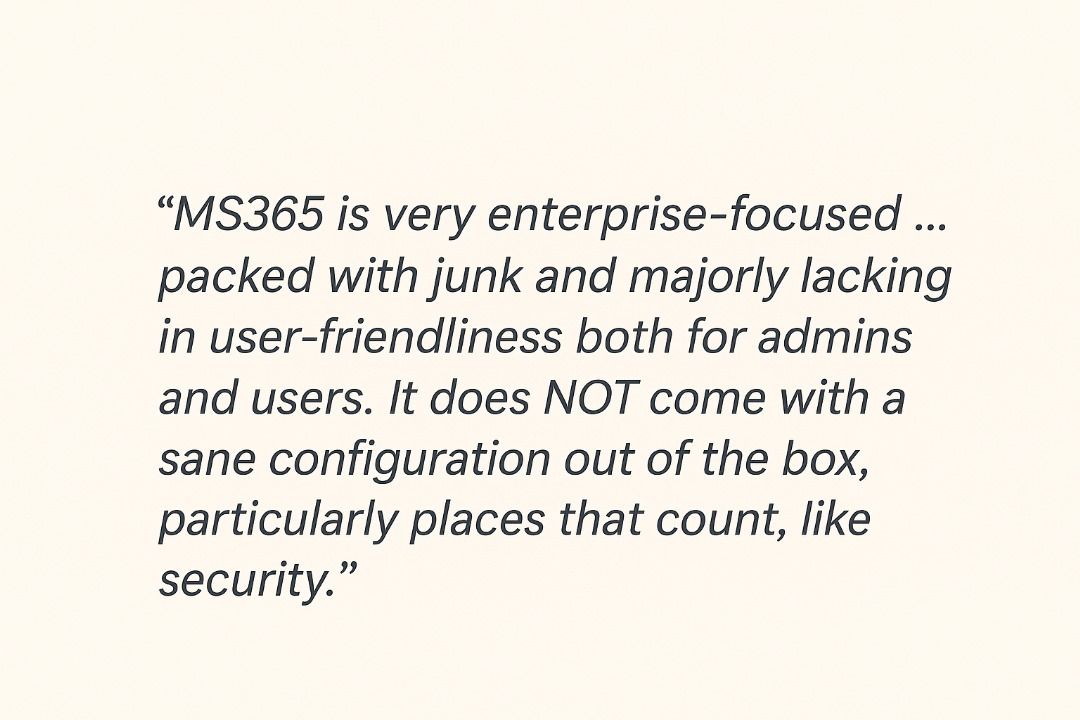
That sentiment reflects a common theme: Outlook’s security tools are impressive, but setup and maintenance require expertise.
If your team lacks dedicated IT support, you may spend more time managing policies than benefiting from them.
Still, when properly configured, many professionals say Microsoft’s ecosystem offers unmatched auditability and compliance readiness — a non-negotiable for finance, government, and healthcare sectors.
2. Gmail: Security by Simplicity
Gmail, on the other hand, earns praise for its straightforward, cloud-native approach. One sysadmin called it:
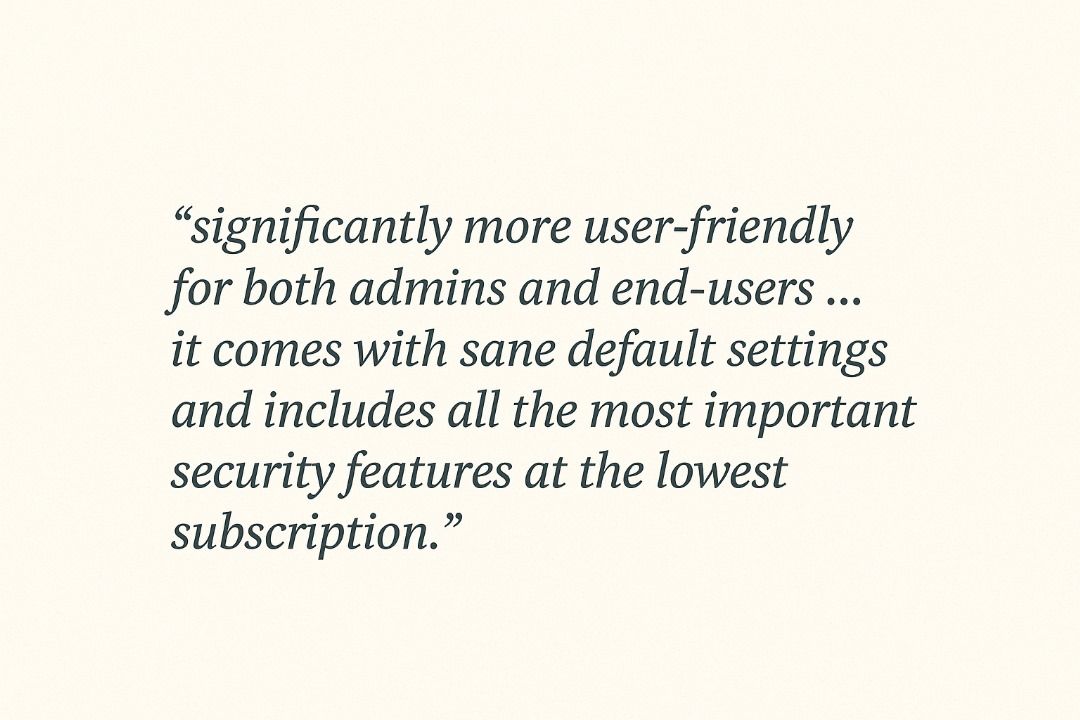
That simplicity translates into fewer headaches. Another user mentioned that after switching their organization from Microsoft to Google Workspace, support tickets dropped noticeably and routine updates “just happened in the background.”
Yet Gmail isn’t flawless. IT teams managing hybrid or Windows-heavy environments often find its integration options limited. And while Google’s AI-driven protection consistently blocks phishing and malware attempts, compliance mapping and granular policy control remain weaker compared to Outlook.
3. The Everyday Reality: What Teams Actually Feel
Across the Reddit discussions, one thing becomes clear — both systems can protect your business, but they shape your daily experience differently.
- Outlook gives you control down to the smallest detail, but it asks for time, configuration, and sometimes patience.
- Gmail gives you peace of mind through automation and simplicity, though it may not meet every enterprise compliance demand.
As one admin summed it up:
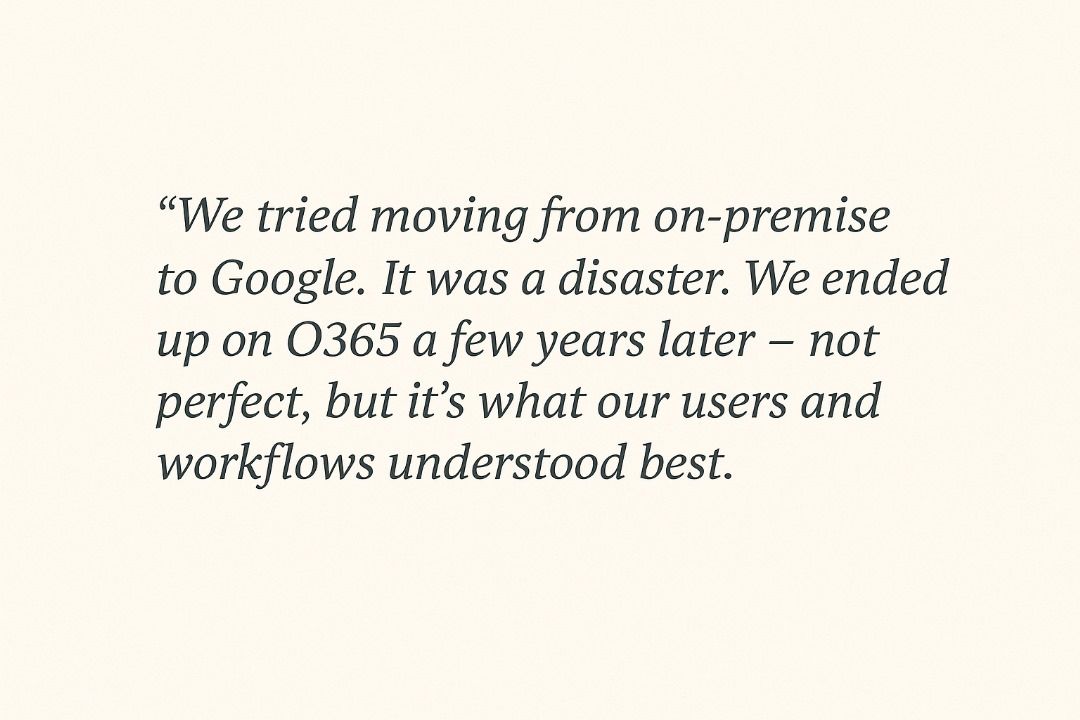
And another countered:
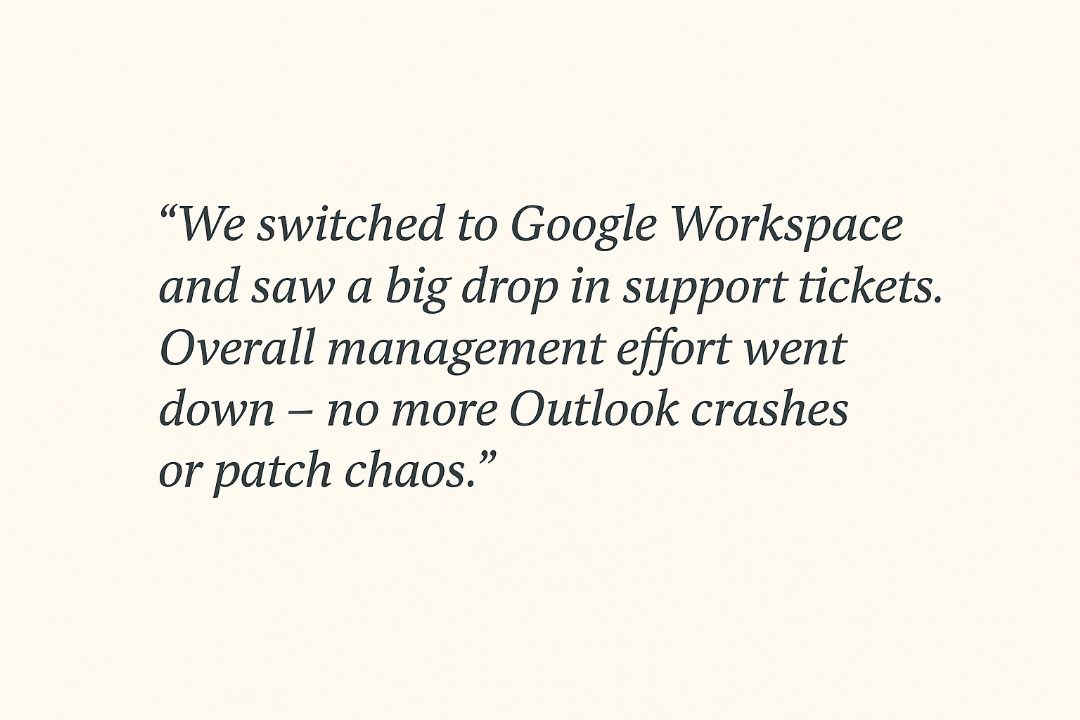
These contrasting experiences reveals an important truth: the right platform isn’t just about technical security — it’s about the kind of control, simplicity, and support your team can sustain.
Key Takeaway
Reddit discussions mirror what many IT leaders already know:
- Outlook is the security powerhouse built for compliance-driven organizations that need fine-grained oversight.
- Gmail is the smart, stable option for fast-moving teams that prefer less admin friction and strong default protections.
Your choice will depend not just on features, but on how your business defines safety — whether that’s control in your hands, or confidence that the system quietly handles it for you.
Final Take: It’s Less About the Tool, More About the Fit
At the end of the day, both Outlook and Gmail offer solid protection. The difference isn’t so much about which one is “more secure” — it’s which one fits the way your business actually runs.
Some teams need a fortress: layered controls, tight compliance, full visibility. For them, Outlook feels like home. It gives them the keys to every door and every gate. But that level of control also comes with the responsibility to keep the walls strong.
Others prefer something lighter — that’s where Gmail’s security shines. You can pretty much set it and forget it. It quietly handles the heavy lifting in the background, so your team can focus on work instead of constant tweaks.
There’s no single winner. Only the clarity of knowing what kind of safety fits your capacity, risk appetite, and culture. Because real security isn’t just what happens at the gate; it’s about building a system your people trust, use, and can live with every day.