If you are choosing a C# barcode library for a .NET project right now, you are facing a harder decision than you might expect. The ecosystem has grown to include at least a dozen viable options, from zero-cost open-source packages to enterprise SDKs that cost thousands. Each makes compelling claims about format support, performance, and cross-platform compatibility. Very few of those claims are tested side by side, in one place, with honest tradeoffs laid bare.
This matters because the wrong choice is expensive. Barcodes are not decorative, they are infrastructure. A warehouse management system that processes 50,000 scans per day, a healthcare application where medication barcodes must read correctly every single time, a retail POS system that handles GS1-compliant labels across international markets, these systems cannot tolerate a library swap six months into production. The barcode library you choose on day one becomes a permanent architectural dependency.
We set out to fix the evaluation gap. Our team compared 12 C# barcode libraries against a consistent set of criteria: symbology support, read/write capability, API ergonomics, cross-platform deployment, .NET version support, and total cost of ownership. Full disclosure: we are the team behind IronBarcode, one of the libraries in this comparison. We treat it as one entry among twelve, subject to the same scrutiny. Where it falls short, we say so. Where competitors excel, we acknowledge it.
Code Example: Generate Barcodes with IronBarcode
// The simplest barcode generation test: create a Code128 barcode and save it.
// IronBarcode example — one line:
using IronBarCode;

var barcode = BarcodeWriter.CreateBarcode("HELLO-2026", BarcodeWriterEncoding.Code128);

barcode.SaveAsPng("hello.png");
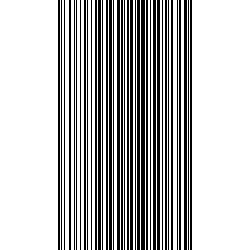
IronBarcode Example Barcode Image
The 12 Libraries at a Glance
Here is a quick-reference table with the essentials. Every detail below is expanded in subsequent sections.
| Library | License | Read | Write | Formats | .NET 8+ | Cross-Platform | NuGet Downloads |
|—-|—-|—-|—-|—-|—-|—-|—-|
| IronBarcode | Commercial ($749+) | ✅ | ✅ | 50+ | ✅ | Win/Linux/Mac | ~2M |
| ZXing.Net | Apache 2.0 (Free) | ✅ | ✅ | ~15 | ✅ | Win/Linux/Mac | ~7M |
| Aspose.BarCode | Commercial ($979+) | ✅ | ✅ | 80+ | ✅ | Win/Linux/Mac | ~3M |
| BarcodeLib | Apache 2.0 (Free) | ❌ | ✅ | ~30 1D | ✅ | Win/Linux/Mac | ~5M |
| Dynamsoft Barcode Reader | Commercial (quote) | ✅ | ❌ | 30+ | ✅ | Win/Linux/Mac | ~500K |
| Syncfusion Barcode | Commercial (free <$1M) | ❌ | ✅ | ~10 | ✅ | Win/Linux/Mac | ~1M+ |
| LEADTOOLS Barcode | Commercial ($1,469+) | ✅ | ✅ | 100+ | ✅ | Win/Linux/Mac | ~200K |
| Spire.Barcode | Commercial (free tier) | ✅ | ✅ | 39+ | ⚠️ | Win/Linux | ~800K |
| NetBarcode | MIT (Free) | ❌ | ✅ | ~12 1D | ✅ | Win/Linux/Mac | ~500K |
| OnBarcode | Commercial | ✅ | ✅ | 20+ | ⚠️ | Windows | ~100K |
| VintaSoft Barcode | Commercial | ✅ | ✅ | 40+ | ⚠️ | Windows | ~50K |
| QRCoder | MIT (Free) | ❌ | ✅ | QR only | ✅ | Win/Linux/Mac | ~15M |
Key: ✅ = Full support | ⚠️ = Partial/.NET Standard only | ❌ = Not supported
These libraries split into four distinct categories, and understanding where each sits is the fastest way to narrow your shortlist.
Full-featured commercial libraries (read + write + preprocessing + support): IronBarcode, Aspose.BarCode, LEADTOOLS Barcode. These handle both generation and recognition of barcode data, support dozens of formats, and come with commercial support agreements. They are built for production systems where reliability matters more than cost.
Read-focused SDKs: Dynamsoft Barcode Reader. Dynamsoft specializes in barcode recognition, reading barcodes from camera feeds, scanned images, and documents. It does not generate barcodes. If your application only needs to scan, Dynamsoft deserves serious consideration.
Generation-focused libraries: BarcodeLib, Syncfusion Barcode, NetBarcode, QRCoder, OnBarcode. These create barcode images but cannot read them from photographs, scans, or documents. They range from free open-source packages (BarcodeLib, QRCoder) to commercial UI control suites (Syncfusion).
Suite components: Spire.Barcode, VintaSoft Barcode. These ship as part of larger document-processing suites. Their barcode capabilities are functional but secondary to their parent suite’s core offerings.
How to Choose: Matching Libraries to Project Requirements
Choosing a barcode library is not about finding the “best” one. It is about finding the best one for your project’s constraints. Here is a practical decision framework organized by the questions that actually matter.
Do You Need to Read Barcodes, Write Them, or Both?
This is the single most important filter. It eliminates half the options immediately.
If you only need to generate barcodes, carry out tasks like printing labels, creating QR codes for marketing materials, embedding barcodes in PDF invoices; then libraries like BarcodeLib, QRCoder, or Syncfusion Barcode are perfectly adequate. They are simpler, lighter, and often free.
If you need to read barcodes from images, camera feeds, scanned documents, or PDFs, your choices narrow to: IronBarcode, ZXing.Net, Aspose.BarCode, Dynamsoft, LEADTOOLS, Spire.Barcode, or VintaSoft. Only these libraries include recognition engines.
If you need both — and most production systems eventually do — then IronBarcode, Aspose.BarCode, LEADTOOLS, and ZXing.Net are your primary candidates.
What Is Your Budget?
$0 (open-source only): ZXing.Net for read+write, BarcodeLib for generation-only, QRCoder for QR-only generation. These are production-ready for many scenarios, but commercial support is nonexistent.
Under $1,000: IronBarcode (starts at $749 per developer) offers the strongest feature-to-price ratio in this range. Syncfusion is free for organizations under $1M revenue.
$1,000–$3,000: Aspose.BarCode ($979+ per developer) and LEADTOOLS ($1,469+ per developer) both sit here, with LEADTOOLS carrying additional deployment licensing costs.
Enterprise / quote-based: Dynamsoft uses consumption-based pricing. LEADTOOLS requires separate runtime deployment licenses. Both scale well for large organizations but require vendor negotiation.
Which Barcode Formats Do You Need?
For mainstream formats (Code128, QR Code, EAN-13, UPC-A, Data Matrix), virtually every library on this list works. The differences emerge with specialized formats:
GS1 DataBar / GS1-128: Critical for retail and healthcare. IronBarcode, Aspose.BarCode, and LEADTOOLS handle these well. ZXing.Net has partial support.
PDF417: Required for government IDs and shipping labels. Supported by IronBarcode, Aspose, LEADTOOLS, Dynamsoft. Not supported by BarcodeLib or QRCoder.
MaxiCode: Used by UPS for package sorting. Only IronBarcode, Aspose, and LEADTOOLS support it.
Aztec: Used on airline boarding passes and transit tickets. Supported by IronBarcode, Aspose, LEADTOOLS, Dynamsoft, and ZXing.Net.
Markets like Japan and China rely heavily on QR codes and specialized 2D formats for mobile payments, transit systems, and supply chain management. If your application targets these regions, prioritize libraries with strong QR code variant support (Micro QR, rMQR) and robust preprocessing for camera-captured images.
What Real-World Scenario Are You Building For?
Different industries impose different barcode requirements, and the gap between “supports the format” and “handles the scenario reliably” is where library selection truly matters.
Warehouse and logistics systems need to generate shipping labels and handle inventory management (typically Code 128 or GS1-128) at volume and read them back under imperfect conditions, damaged labels, poor lighting, skewed angles. Batch processing throughput matters. Libraries that support multithreaded scanning and automatic image preprocessing (IronBarcode, Dynamsoft, LEADTOOLS) have a concrete advantage here over libraries that return best-effort results from clean images only.
Healthcare and pharmaceutical applications use barcodes on medication packaging (typically GS1 DataBar or Data Matrix) and patient wristbands for identification. Accuracy is non-negotiable, a misread barcode in a medication dispensing system puts patients at risk. Error correction and validation capabilities (checksum verification, confidence scoring) matter more in this domain than in any other.
Retail POS and inventory systems need to handle UPC-A, EAN-13, and QR codes for both product scanning and mobile payment integration. In markets like Japan, China, and South Korea, QR code-based payment is the primary transaction method. Libraries must handle rapid successive scans and integrate with real-time inventory databases. Cross-platform mobile deployment (via .NET MAUI or native SDKs) is often a hard requirement.
Document processing pipelines encode barcodes in invoices, insurance claims, and legal documents for automated routing and classification. Here, the ability to read barcodes directly from PDF pages — without first rendering to images — saves both development time and processing overhead. IronBarcode and Aspose.BarCode support barcodes stored like this natively; most others require a separate PDF rendering step.
Airline and transit ticketing uses Aztec codes (boarding passes) and PDF417 (ID documents). If your application processes these, you need a library that handles both symbologies with high accuracy from camera captures at various angles and lighting conditions.
Where Will You Deploy?
Deployment target is the constraint that most often gets evaluated too late. A library that works perfectly in Visual Studio on Windows may fail at runtime in a Linux Docker container, and the failure mode is often a cryptic native library error rather than a clear exception.
Windows-only server: Any library works. This is the easiest deployment scenario and the one most library documentation implicitly assumes.
Linux / Docker / cloud: Eliminate VintaSoft and OnBarcode (Windows-primary). Ensure the library does not depend on System.Drawing.Common, which Microsoft deprecated for non-Windows platforms in .NET 6. IronBarcode, Aspose, Dynamsoft, and ZXing.Net all handle cross-platform deployment well. Test early, ideally, your first “hello world” with the library should run in a Docker container matching your production base image.
.NET MAUI / mobile: IronBarcode, Syncfusion, and Dynamsoft explicitly support .NET MAUI. ZXing.Net has a mobile-specific package (ZXing.Net.Mobile) but it targets Xamarin, not modern MAUI. For real-time camera scanning, Dynamsoft is the strongest choice; for barcode generation in mobile UIs, Syncfusion’s MAUI control is native and polished.
Azure Functions / AWS Lambda: Serverless environments add memory and execution-time constraints. Lightweight libraries (QRCoder, BarcodeLib) start faster. Heavier libraries (LEADTOOLS, Aspose) may need larger memory allocations and longer cold-start budgets. IronBarcode and Dynamsoft work in serverless but benefit from provisioned concurrency or premium plans that reduce cold starts.
The 12 Libraries: What Each Does Well and Where Each Falls Short
1. IronBarcode
Developer: Iron Software | NuGet: BarCode | Latest: 2026.2 | Downloads: ~2M
IronBarcode is a commercial .NET barcode library that covers both generation and recognition across 50+ symbologies. It targets the middle ground between open-source simplicity and enterprise-grade feature depth.
using IronBarCode;

// Generate a styled QR code with a logo
var qr = QRCodeWriter.CreateQrCode("https://example.com", 300);
qr.ChangeBarCodeColor(IronSoftware.Drawing.Color.DarkBlue);
qr.SaveAsPng("styled-qr.png");

// Read barcodes from a scanned document
var results = BarcodeReader.Read("warehouse-label.png");
foreach (var result in results)
    Console.WriteLine($"{result.BarcodeType}: {result.Value}");
Generated QR Code and Extracted Barcode Data
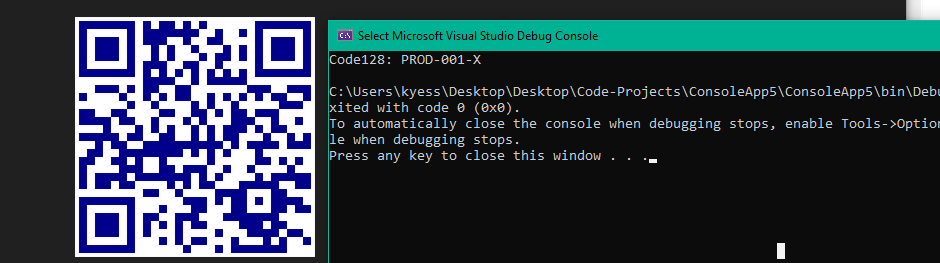
Strengths: The API is concise, generation and reading each take one line of code. Key features include support for many data formats, image correction filters, and the ability to export barcodes to various image formats. Image preprocessing (auto-rotation, sharpening, contrast adjustment) runs automatically during reads, which matters for real-world scans of damaged or poorly printed barcodes. PDF barcode reading is built in, not bolted on. Async and multithreaded scanning are supported for batch operations. Cross-platform support covers Windows, Linux, macOS, Docker, and .NET MAUI. The library supports .NET 8 LTS and .NET 10. You can learn more about the advanced features offered by IronBarcode in it’s extensive documentation, here.
Real-world deployments span warehouse management systems where shipping labels must be generated and scanned at volume, healthcare medication tracking where scanning accuracy directly affects patient safety, and retail packaging workflows where GS1-compliant labels need to integrate with existing POS systems.
Limitations: Not free, the Lite license starts at $749 per developer. The NuGet package size (~30MB with dependencies) is heavier than open-source alternatives. Documentation is comprehensive but the comparison pages on Iron Software’s site are obviously promotional.
Best for: Teams that need read+write in a single library, value API simplicity, and are building for cross-platform deployment. Especially strong for document-processing pipelines that mix barcode scanning with PDF operations.
2. ZXing.Net
Developer: Michael Jahn (community) | NuGet: ZXing.Net | Latest: 0.16.x | Downloads: ~7M
ZXing.Net is the .NET port of Google’s Zebra Crossing library, the most widely used open-source barcode library in existence. It is free, well-known, and installed in millions of projects.
using ZXing;
using ZXing.Common;

// Generate a Code128 barcode
var writer = new BarcodeWriterPixelData
{
    Format = BarcodeFormat.CODE_128,
    Options = new EncodingOptions { Width = 400, Height = 100 }
};

var pixelData = writer.Write("HELLO-2026");

// pixelData.Pixels contains raw ARGB bytes — requires additional imaging library to save
ZXing.Net Outptu

Strengths: Free and open-source under Apache 2.0. Massive community familiarity — most tutorials and Stack Overflow answers reference ZXing. Supports common 1D and 2D formats including QR Code, Data Matrix, Code128, EAN, and Aztec. Lightweight. The codebase is mature and battle-tested.
Limitations: The .NET port lags behind the Java original. Format support is narrower than commercial alternatives — no GS1 DataBar, no MaxiCode, limited postal code support. The API is verbose: generating a barcode requires creating writer objects, encoding options, and manual pixel-data handling. Saving to an image file requires a separate imaging library (SkiaSharp, ImageSharp, or System.Drawing). No built-in image preprocessing for damaged scans. No PDF reading. The mobile package (ZXing.Net.Mobile) targets Xamarin, not .NET MAUI. Community maintenance is inconsistent — releases can be months apart.
A practical consideration: because ZXing.Net produces raw pixel data rather than image files, every project that uses it ends up with custom imaging wrapper code. This code is rarely shared between projects, which means every team reinvents the same SkiaSharp-to-PNG pipeline. If your organization has multiple projects using ZXing.Net, you will eventually want to extract that wrapper into a shared library — at which point you have built a significant portion of what commercial libraries provide out of the box.
Best for: Projects where budget is zero, requirements are standard formats, and the development team is comfortable assembling their own imaging pipeline around the core library. Also a reasonable choice for simple read-only scenarios where the image quality is consistently good (pre-printed labels, digital barcode images).
3. Aspose.BarCode
Developer: Aspose | NuGet: Aspose.BarCode | Latest: 26.2 | Downloads: ~3M
Aspose.BarCode is the barcode component of Aspose’s document-processing suite. It claims support for 80+ symbologies and runs across .NET, Java, C++, and Python.
using Aspose.BarCode.Generation;
using Aspose.BarCode.BarCodeRecognition;

// Generate
var generator = new BarcodeGenerator(EncodeTypes.Code128, "HELLO-2026");
generator.Save("aspose-barcode.png");

// Read
using var reader = new BarCodeReader("aspose-barcode.png", DecodeType.Code128);
foreach (var result in reader.ReadBarCodes())
    Console.WriteLine($"{result.CodeType}: {result.CodeText}");
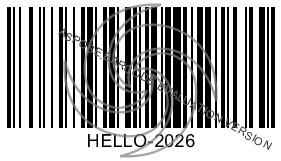
Aspose.BarCode Output
4. BarcodeLib
Developer: Brad Barnhill | NuGet: BarcodeLib | Latest: 3.1.5 | Downloads: ~5M
BarcodeLib is a lightweight, open-source barcode generation library. It creates 1D barcode images from strings. That is all it does, and it does it well.
using BarcodeLib;
using SkiaSharp;

var b = new Barcode();

b.IncludeLabel = true;

var img = b.Encode(BarcodeStandard.Type.UpcA, "038000356216", SKColors.Black, SKColors.White, 290, 120);

// img is an SKImage — save with SkiaSharp
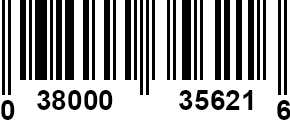
BarcodeLib Output
Strengths: Simple, fast, zero configuration needed. Supports ~30 1D symbologies including UPC-A/E, EAN-8/13, Code128, Code39, Code93, ITF, Codabar, and Postnet. The API is one method call. Apache 2.0 licensed. Migrated from System.Drawing to SkiaSharp, ensuring cross-platform compatibility on modern .NET. Extremely lightweight package.
Limitations: 1D barcodes only, no QR codes, no Data Matrix, no PDF417. Generation only, cannot read barcodes. No preprocessing, no PDF support, no batch operations. If your requirements grow beyond simple 1D generation, you will need to replace this library entirely.
Best for: Projects that need to generate standard 1D barcodes (product labels, inventory tags) with minimal overhead and zero cost. A good starting point for MVPs that may graduate to a fuller library later.
A common pattern we see: teams start with BarcodeLib for a prototype, ship it to production, and six months later receive a requirement to also read barcodes from customer-uploaded images. At that point, they either add a second library (ZXing.Net for reading) or migrate entirely to a read+write library (IronBarcode, Aspose). If you suspect your requirements will grow beyond generation, consider starting with a fuller library to avoid the migration cost later. If you are confident the scope will stay narrow, BarcodeLib is hard to beat for what it does.
5. Dynamsoft Barcode Reader
Developer: Dynamsoft | NuGet: Dynamsoft.DotNet.BarcodeReader | Downloads: ~500K
Dynamsoft is a barcode reading specialist. The company has spent over two decades optimizing barcode recognition from camera feeds, scanned documents, and low-quality images. They do not generate barcodes. Their .NET SDK documentation covers setup, template configuration, and performance tuning.
// Dynamsoft uses a template-based configuration approach
// Initialization requires a license key and runtime setup
using Dynamsoft.DBR;

var reader = BarcodeReader.GetInstance();

var results = reader.DecodeFile("damaged-label.jpg");

foreach (var result in results)
    Console.WriteLine($"{result.BarcodeFormatString}: {result.BarcodeText}");
Strengths: Recognition accuracy is among the highest in the industry. Dynamsoft claims 34.9% more QR codes recognized than the next-best competitor in their benchmark of 1,000+ codes across 16 image quality types. Customizable recognition templates allow fine-tuning for specific barcode conditions (damaged, blurry, low contrast, extreme angles). Real-time camera feed scanning is a first-class feature, not an afterthought. Multi-platform SDKs cover .NET, JavaScript, Python, Java, and mobile. ISO 27001 certified.
Limitations: Read-only, no barcode generation at all. Pricing is consumption-based and quote-dependent, making cost prediction difficult for variable-volume workloads. The .NET SDK requires more setup than simpler libraries. The licensing model involves runtime keys and online activation, which can complicate air-gapped deployments.
Best for: Applications where recognition accuracy from real-world camera feeds or damaged documents is the top priority. Warehouse scanning, mobile POS systems, and industrial quality-control imaging. Also strong for organizations that need multi-language SDK support (JavaScript for web, .NET for backend, mobile-native for apps) from a single vendor.
The read-only limitation is important to understand architecturally: if your application needs to both generate and scan barcodes (most production systems do), Dynamsoft must be paired with a generation library. Common pairings include Dynamsoft + QRCoder (for QR generation) or Dynamsoft + IronBarcode (for full-format generation). This adds a dependency but lets you use best-in-class tools for each task.
6. Syncfusion Barcode Generator
Developer: Syncfusion | NuGet: Various (per framework) | Downloads: ~1M+
Syncfusion’s Barcode Generator is a UI control embedded within their massive Essential Studio suite. It generates barcodes as visual components in Blazor, .NET MAUI, WinForms, WPF, and ASP.NET Core applications.
// Syncfusion — MAUI XAML approach
// <barcode:SfBarcodeGenerator Value="https://example.com" ShowText="True"
//     HeightRequest="250" WidthRequest="250">
//     <barcode:SfBarcodeGenerator.Symbology>
//         <barcode:QRCode />
//     </barcode:SfBarcodeGenerator.Symbology>
// </barcode:SfBarcodeGenerator>
Strengths: Free community license for organizations under $1M revenue and fewer than 5 developers. Deep UI framework integration, the barcode control is a native XAML/Blazor component, not an image-generation library. Supports common 1D symbologies (Code128, EAN, UPC, Code39) and 2D (QR Code, Data Matrix). Visual customization (colors, text positioning, module sizing) is built into the control properties. Documentation is thorough with framework-specific guides.
Limitations: Generation only, no barcode reading/recognition. Limited symbology range (~10 types) compared to dedicated barcode libraries. You must adopt the full Syncfusion ecosystem (NuGet packages, handler registration, licensing infrastructure). The barcode control is tightly coupled to specific UI frameworks, it is not a general-purpose image-generation library you can call from a console app or background service. If you are not already using Syncfusion controls, adopting them for barcode generation alone is architectural overkill.
Best for: Teams already invested in the Syncfusion UI ecosystem who need to display barcodes in front-end applications. Not suitable for backend barcode processing, document generation, or scanning workflows.
7. LEADTOOLS Barcode
Developer: Apryse (formerly LEAD Technologies) | NuGet: Leadtools.Barcode | Downloads: ~200K
LEADTOOLS is a 30-year-old imaging SDK that includes barcode functionality as part of a larger document and medical imaging toolkit. It supports over 100 barcode types and sub-types — the most of any library in this comparison.
Strengths: Unmatched symbology breadth, over 100 types including all major 1D, 2D, postal, and composite barcodes. Patented AI-powered recognition algorithms. Advanced preprocessing (deskew, noise removal, hole-punch removal, glare correction). Multi-language support across .NET, C++, Java, and mobile platforms. Enterprise-grade with 30+ years of track record in medical imaging and government document processing.
Limitations: The most expensive option in this comparison. Development licenses start at $1,469, and deployment requires separate runtime licenses whose pricing varies by deployment model (you must contact sales for quotes). The API surface is large and complex, LEADTOOLS is an imaging SDK first and a barcode library second. You load RasterImage objects, create BarcodeEngine instances, and configure symbology-specific options. This is not a one-line API. Overkill for projects that only need barcode functionality. The learning curve is steepest among all 12 libraries.
Best for: Enterprise organizations already using LEADTOOLS for imaging, medical DICOM processing, or government document workflows. Projects requiring extremely rare barcode symbologies or industrial-grade image preprocessing. Worth noting: LEADTOOLS was acquired by Apryse in 2023, which may affect long-term product strategy and pricing — something to verify with the vendor before committing to a multi-year deployment.
8. Spire.Barcode
Developer: e-iceblue | NuGet: Spire.Barcode | Downloads: ~800K
Spire.Barcode is the barcode component of e-iceblue’s Spire.Office suite, a China-headquartered competitor to Aspose. It supports 39+ barcode formats with both generation and recognition.
Strengths: Free community edition available with limited features. Supports both 1D and 2D formats including QR Code, Data Matrix, and PDF417. Simple “one line of code” API for generation. Component mode allows drag-and-drop barcode creation in WinForms/ASP.NET designers. The paid edition improves scanning speed significantly over the free tier.
Limitations: Cross-platform support is incomplete, the library depends on System.Drawing.Common on .NET Framework and uses SkiaSharp on modern .NET, but MAUI/mobile support is unclear. .NET 8+ compatibility exists through .NET Standard 2.0 targeting, not native .NET 8 builds. Documentation is sparser than Western competitors. The free tier adds evaluation watermarks to generated barcodes. NuGet package size is large (~15MB). Community adoption outside China is limited.
Best for: Teams already using Spire.Office components, or developers working primarily in Chinese-language development environments where e-iceblue has stronger community support.
9. NetBarcode
Developer: Tagliatti (community) | NuGet: NetBarcode | Latest: 1.7.x | Downloads: ~500K
NetBarcode is a minimal, MIT-licensed barcode generation library. It creates 1D barcodes using ImageSharp (previously System.Drawing).
Strengths: MIT license, truly free with no restrictions. Tiny footprint. Simple API. Migrated to SixLabors.ImageSharp, removing the System.Drawing dependency for genuine cross-platform support. Supports standard 1D formats: Code128, Code39, Code93, EAN-13, EAN-8, and a few others.
Limitations: Generation only, no barcode reading. 1D barcodes only, no QR codes, no Data Matrix. Limited symbology support (~12 types). Minimal customization options. Single maintainer with infrequent updates. No commercial support.
Best for: Minimal 1D barcode generation in .NET applications where every dependency byte counts and MIT licensing is a hard requirement. NetBarcode is the “microlib” of this comparison, it does one thing with minimal overhead. For containerized microservices where image size matters, NetBarcode’s small footprint is a genuine advantage over heavier alternatives. The ImageSharp dependency also means it works cleanly across all platforms without the System.Drawing concerns that plague older libraries.
10. OnBarcode
Developer: OnBarcode | Platform: .NET Standard 2.0
OnBarcode provides barcode generation and recognition SDKs with both .NET and Java variants. The library supports 20+ symbologies across two separate DLLs, one based on System.Drawing.Common (Windows) and one on SkiaSharp (cross-platform).
Strengths: Mature product with long history. Supports both generation and recognition. Provides separate DLLs for Windows and cross-platform environments. GS1 data encoding support for retail and supply chain applications.
Limitations: Primary audience is Windows developers, Linux and macOS support came later and is less proven. .NET 8+ support is through .NET Standard, not native targeting. Pricing and licensing information is not transparently published on their website. Documentation quality lags behind top-tier competitors. NuGet download counts suggest a smaller user base (~100K), which correlates with fewer community resources and Stack Overflow answers.
Best for: Windows-centric .NET Framework projects requiring basic barcode generation with some recognition capability. OnBarcode has a long history in the .NET barcode space and was one of the early entrants in the market. Teams maintaining legacy .NET Framework 4.x applications may find it a more natural fit than libraries that have pivoted entirely to modern .NET. However, for new projects targeting .NET 8+, the alternatives above offer better developer experience and stronger cross-platform support.
11. VintaSoft Barcode
Developer: VintaSoft | Platform: .NET Framework / .NET Standard
VintaSoft Barcode .NET SDK is part of VintaSoft’s imaging toolkit. It supports reading and writing 40+ 1D and 2D symbologies in digital images and PDF files.
Strengths: Supports both generation and recognition across a solid range of symbologies. PDF barcode reading. Includes a WPF image viewer component for interactive barcode display. Integration with VintaSoft’s broader imaging and document toolkit.
Limitations: Primarily Windows-focused. Cross-platform (.NET Core / .NET 5+) support exists but is secondary to the Windows experience. Smaller user base means fewer community resources, tutorials, and third-party integrations. Pricing requires contacting sales. The product evolves more slowly than actively-competed libraries like IronBarcode or Aspose.
Best for: Windows desktop applications already using VintaSoft’s imaging stack, particularly WPF-based document viewers. The WPF viewer integration is its unique selling point — if your application needs interactive barcode display with pan/zoom and annotation alongside barcode detection, VintaSoft provides this in a single component rather than requiring separate imaging and barcode libraries.
12. QRCoder
Developer: Raffael Herrmann (community) | NuGet: QRCoder | Downloads: ~15M
QRCoder is the most downloaded barcode-related package on NuGet — but it does exactly one thing: generate QR codes. No reading. No other formats.
using QRCoder;

var generator = new QRCodeGenerator();

var data = generator.CreateQrCode("https://example.com", QRCodeGenerator.ECCLevel.Q);

var qrCode = new PngByteQRCode(data);

byte[] qrCodeImage = qrCode.GetGraphic(20);

File.WriteAllBytes("qr.png", qrCodeImage);
QRCoder Output

Strengths: Laser-focused scope. Extremely well-maintained with frequent releases. 15M+ NuGet downloads prove production reliability. Zero external dependencies in the core package. Multiple output renderers: PNG bytes, SVG, ASCII art, PDF, and more. MIT licensed. Supports error correction levels, custom colors, and quiet zones.
Limitations: QR codes only, no other symbology. Generation only, cannot read QR codes. If you eventually need any other barcode type or recognition capability, you will need a second library.
Best for: Projects that need only QR code generation and want the most proven, lightweight, dependency-free option available. Marketing materials, URL encoding, mobile-payment QR codes, event ticketing.
QRCoder’s 15 million download count makes it one of the most trusted packages in the .NET ecosystem. Its renderer architecture is particularly well-designed: you can output QR codes as PNG bytes, SVG strings, ASCII art for terminal display, or even as PDF pages, all without adding a single external dependency. For teams that embed QR codes into web pages (Base64-encoded PNGs or inline SVGs), QRCoder’s API is the most ergonomic option available.
The only scenario where QRCoder falls short of expectations is when developers assume that because it generates QR codes so well, it must also read them. It does not. If you need to both generate and read QR codes, pair QRCoder with ZXing.Net (free) or IronBarcode (commercial) for the reading side.
Head-to-Head: Generating a Code128 Barcode
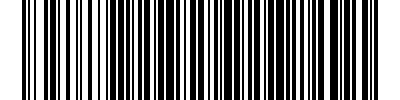
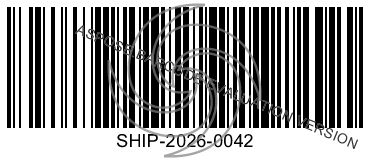
The best way to feel the API differences between libraries is to see the same task in each. Here is how four libraries generate a Code128 barcode from the string “SHIP-2026-0042” and save it as a PNG image.
IronBarcode (1 line of meaningful code):
using IronBarCode;
BarcodeWriter.CreateBarcode("SHIP-2026-0042", BarcodeWriterEncoding.Code128)
    .SaveAsPng("iron-barcode.png");

ZXing.Net (requires additional imaging library):
using ZXing;
using ZXing.Common;
using SkiaSharp;

var writer = new BarcodeWriterPixelData
{
    Format = BarcodeFormat.CODE_128,
    Options = new EncodingOptions { Width = 400, Height = 100, Margin = 10 }
};

var pixelData = writer.Write("SHIP-2026-0042");

using var bitmap = new SKBitmap(pixelData.Width, pixelData.Height);

System.Runtime.InteropServices.Marshal.Copy(pixelData.Pixels, 0,
    bitmap.GetPixels(), pixelData.Pixels.Length);

using var image = SKImage.FromBitmap(bitmap);

using var data = image.Encode(SKEncodedImageFormat.Png, 100);

File.WriteAllBytes("zxing-barcode.png", data.ToArray());
Aspose.BarCode (2 lines of meaningful code):
using Aspose.BarCode.Generation;

var generator = new BarcodeGenerator(EncodeTypes.Code128, "SHIP-2026-0042");

generator.Save("aspose-barcode.png");
BarcodeLib (3 lines + SkiaSharp for save):
using BarcodeLib;
using SkiaSharp;

var b = new Barcode();

var img = b.Encode(TYPE.CODE128, "SHIP-2026-0042", SKColors.Black, SKColors.White, 400, 100);

using var data = img.Encode(SKEncodedImageFormat.Png, 100);

File.WriteAllBytes("barcodelib-barcode.png", data.ToArray());
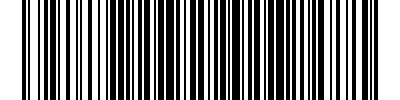
The takeaway is clear: IronBarcode and Aspose.BarCode abstract away the imaging pipeline entirely. ZXing.Net and BarcodeLib require you to bring your own image-encoding solution. For a one-off script this barely matters. For a codebase maintained by multiple developers across years, API simplicity compounds.
There is a deeper architectural point here. Libraries that produce raw pixel data (ZXing.Net) or SkiaSharp objects (BarcodeLib) force you to adopt a specific imaging dependency across your entire barcode workflow. If you later switch imaging libraries — say, from SkiaSharp to ImageSharp — you will need to refactor every call site. Libraries that handle their own image output (IronBarcode, Aspose) isolate your application code from imaging implementation details. This matters more than most developers realize until they are three years into a project and facing a dependency upgrade.
Head-to-Head: Reading Barcodes from Images
Reading is where the real differentiation occurs. Here is how four libraries handle reading barcodes from a scanned warehouse label image:
IronBarcode:
using IronBarCode;

var results = BarcodeReader.Read("warehouse-label.png");

foreach (var r in results)
    Console.WriteLine($"[{r.BarcodeType}] {r.Value}");

ZXing.Net (requires loading image manually):
using ZXing;
using SkiaSharp;

using var bitmap = SKBitmap.Decode("warehouse-label.png");

var reader = new BarcodeReaderGeneric();

var luminanceSource = new SKBitmapLuminanceSource(bitmap);

var result = reader.Decode(luminanceSource);

Console.WriteLine(result?.Text ?? "No barcode found");

// Note: Decode() returns only the first barcode found

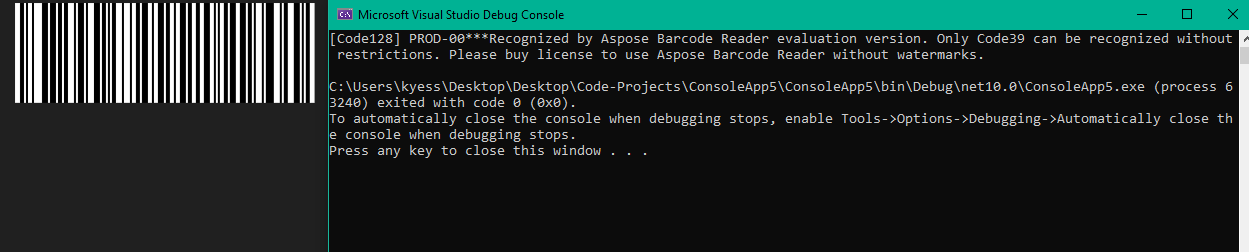
Aspose.BarCode:
using Aspose.BarCode.BarCodeRecognition;

using var reader = new BarCodeReader("warehouse-label.png");

foreach (var result in reader.ReadBarCodes())
    Console.WriteLine($"[{result.CodeType}] {result.CodeText}");
Dynamsoft:
using Dynamsoft.DBR;

BarcodeReader.InitLicense("YOUR-LICENSE-KEY");

var reader = BarcodeReader.GetInstance();

var results = reader.DecodeFile("warehouse-label.jpg");

foreach (var r in results)
    Console.WriteLine($"[{r.BarcodeFormatString}] {r.BarcodeText}");
All four handle clean, high-contrast barcode images well. The differences surface with challenging inputs: rotated barcodes, low-resolution camera captures, damaged labels, or barcodes embedded in multi-page PDFs. IronBarcode’s auto-preprocessing (sharpening, contrast, rotation correction) and Dynamsoft’s template-based recognition tuning are specifically designed for these scenarios. ZXing.Net provides no preprocessing, you must handle image correction yourself or accept lower recognition rates.
A subtlety that often surprises developers: ZXing.Net’s Decode() method returns only the first barcode found in an image. If your scanned document contains multiple barcodes (common in shipping labels, insurance forms, and multi-item invoices), you need to configure the reader explicitly to return multiple results. IronBarcode, Aspose, and Dynamsoft default to multi-barcode detection. This distinction alone has caused production bugs in systems that assumed all barcodes on a page would be found.
Another consideration is PDF reading. In document-heavy workflows, insurance claim processing, legal document management, supply chain paperwork, barcodes are embedded in PDF files, not standalone images. IronBarcode reads barcodes directly from PDF pages via BarcodeReader.ReadPdf() without requiring the developer to first render each page to an image. Aspose achieves this through integration with Aspose.PDF. ZXing.Net and Dynamsoft require a separate PDF-to-image rendering step using a library like PDFium or IronPDF. That extra step adds complexity, dependencies, and processing time, especially for multi-hundred-page document batches.
Performance and Batch Processing
Performance benchmarks for barcode libraries are difficult to standardize because recognition speed depends heavily on image quality, barcode type, image resolution, and the number of barcodes per image. Rather than publishing potentially misleading synthetic benchmarks, here is what we can say based on documented capabilities and architectural characteristics.
Single-Image Recognition Speed
For clean, well-formatted barcode images (high contrast, no damage, single barcode per image), all libraries that support reading complete the task in under 100 milliseconds. The differences are negligible for interactive applications. Speed becomes meaningful only at scale or with challenging inputs.
Batch Processing Architecture
When processing thousands of barcode images — a common requirement in document digitization, warehouse receiving, and insurance claims processing — the library’s batch processing architecture matters significantly.
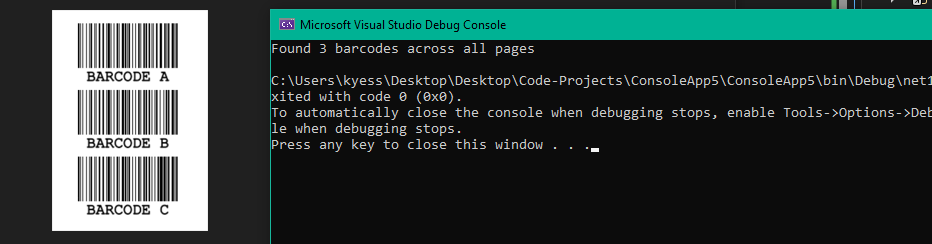
IronBarcode supports multithreaded batch scanning with configurable thread counts. The BarcodeReader accepts BarcodeReaderOptions that include Multithreaded = true and can process multi-page TIFFs and PDFs page-by-page without loading entire documents into memory. This is the key differentiator for high-volume document pipelines.
using IronBarCode;

var options = new BarcodeReaderOptions
{
    Speed = ReadingSpeed.Balanced,
    ExpectMultipleBarcodes = true,
    Multithreaded = true,
    MaxParallelThreads = 4,
    ExpectBarcodeTypes = BarcodeEncoding.All
};

var results = BarcodeReader.Read("multiple-barcodes.pdf", options);

Console.WriteLine($"Found {results.Count()} barcodes across all pages");
Batch Processing with IronBarcode
Aspose.BarCode provides similar batch capabilities through its BarCodeReader class with configurable QualitySettings presets (HighPerformance, NormalQuality, HighQuality, MaxBarCodes). The presets balance speed against thoroughness — HighPerformance skips expensive image analysis, while MaxBarCodes exhaustively searches every region.
Dynamsoft uses a template-based approach where scanning parameters (expected formats, region of interest, deblur settings) are specified in JSON templates. This allows fine-grained optimization per use case. Their batch scanner product handles 100+ barcodes per image in a single pass.
ZXing.Net does not provide built-in batch processing. Developers implement their own parallelism using Task.WhenAll or Parallel.ForEach, loading and processing images individually. This works but puts the orchestration burden on application code.
LEADTOOLS supports multithreaded barcode operations as part of its broader imaging pipeline. The advantage here is that preprocessing (deskew, despeckle, border removal) and barcode reading can be chained in a single threaded pipeline, which is efficient for scanned-document workflows where every image needs cleanup before reading.
Memory Footprint Considerations
Libraries that load entire PDF documents or high-resolution images into memory can cause problems in resource-constrained environments (Azure App Service, AWS Lambda, Kubernetes pods with memory limits). IronBarcode processes PDF pages individually to manage memory. Aspose’s approach is similar. ZXing.Net operates on individual images, so memory management is the developer’s responsibility. Dynamsoft’s server SDK is optimized for high-throughput low-memory operation. LEADTOOLS provides explicit memory management through its RasterImage disposal patterns but requires careful coding to avoid leaks in batch scenarios.
The Preprocessing Advantage
For production systems, recognition accuracy on imperfect inputs is more important than raw speed on clean inputs. A library that reads 10,000 clean barcodes per second but fails on 5% of real-world scans costs more — in operational terms — than one that processes 5,000 per second with a 0.5% failure rate. Image preprocessing (auto-rotation, contrast enhancement, sharpening, noise reduction) is what bridges this gap. IronBarcode, Dynamsoft, and LEADTOOLS all include preprocessing in their recognition pipeline. ZXing.Net, Aspose, and the generation-only libraries do not.
Symbology Support Matrix
This matrix covers the formats most commonly needed in production. For full lists, consult each library’s official documentation.
| Symbology | IronBarcode | ZXing.Net | Aspose | BarcodeLib | Dynamsoft | Syncfusion | LEADTOOLS | Spire | QRCoder |
|—-|—-|—-|—-|—-|—-|—-|—-|—-|—-|
| Code 128 | ✅ | ✅ | ✅ | ✅ | ✅ | ✅ | ✅ | ✅ | ❌ |
| Code 39 | ✅ | ✅ | ✅ | ✅ | ✅ | ✅ | ✅ | ✅ | ❌ |
| QR Code | ✅ | ✅ | ✅ | ❌ | ✅ | ✅ | ✅ | ✅ | ✅ |
| Data Matrix | ✅ | ✅ | ✅ | ❌ | ✅ | ✅ | ✅ | ✅ | ❌ |
| EAN-13 | ✅ | ✅ | ✅ | ✅ | ✅ | ✅ | ✅ | ✅ | ❌ |
| UPC-A | ✅ | ✅ | ✅ | ✅ | ✅ | ✅ | ✅ | ✅ | ❌ |
| PDF417 | ✅ | ✅ | ✅ | ❌ | ✅ | ❌ | ✅ | ✅ | ❌ |
| Aztec | ✅ | ✅ | ✅ | ❌ | ✅ | ❌ | ✅ | ❌ | ❌ |
| GS1 DataBar | ✅ | ⚠️ | ✅ | ❌ | ✅ | ❌ | ✅ | ❌ | ❌ |
| MaxiCode | ✅ | ❌ | ✅ | ❌ | ✅ | ❌ | ✅ | ❌ | ❌ |
| Micro QR | ✅ | ❌ | ✅ | ❌ | ✅ | ❌ | ✅ | ❌ | ❌ |
| Intelligent Mail | ✅ | ❌ | ✅ | ❌ | ❌ | ❌ | ✅ | ❌ | ❌ |
Key: ✅ = Full read+write | ⚠️ = Partial support | ❌ = Not supported
Three patterns emerge from this matrix. First, the commercial libraries (IronBarcode, Aspose, LEADTOOLS) consistently cover the widest range, they are the only options if you need formats like MaxiCode, Micro QR, or Intelligent Mail. Second, ZXing.Net covers mainstream formats well but drops off quickly for specialized industrial or postal codes. Third, generation-only libraries (BarcodeLib, QRCoder, Syncfusion) are inherently limited to the formats they were designed for.
A practical note on symbology claims: LEADTOOLS and Aspose cite the highest numbers (100+ and 80+ respectively), but many of those are sub-types of the same family. For example, Code 128A, Code 128B, and Code 128C are listed as three separate entries by some vendors but are really variants of a single specification. The number that matters is not “how many symbologies” but “does it support the specific formats my application needs.” Always verify against your actual requirements rather than relying on aggregate counts.
For teams unsure which formats they will need, here is a safe minimum: Code 128 (general-purpose alphanumeric), QR Code (2D data with error correction), EAN-13 / UPC-A (retail products), and Data Matrix (compact 2D for industrial marking). Any library that supports these four covers roughly 90% of real-world barcode scenarios. If your requirements include GS1 standards (healthcare, fresh produce, coupons), ensure your chosen library explicitly supports GS1 DataBar and GS1-128 — partial support is common and can cause compliance failures.
Platform & Deployment Compatibility
Modern .NET projects deploy everywhere, Windows servers, Linux Docker containers, Azure App Services, AWS Lambda functions, and mobile devices. Library compatibility with these targets is no longer optional.
| Library | .NET 8 LTS | .NET 10 | Linux/Docker | macOS | .NET MAUI | Blazor | Azure/AWS |
|—-|—-|—-|—-|—-|—-|—-|—-|
| IronBarcode | ✅ | ✅ | ✅ | ✅ | ✅ | ✅ | ✅ |
| ZXing.Net | ✅ | ✅ | ✅ | ✅ | ⚠️ | ✅ | ✅ |
| Aspose.BarCode | ✅ | ✅ | ✅ | ✅ | ✅* | ✅ | ✅ |
| BarcodeLib | ✅ | ✅ | ✅ | ✅ | ❌ | ✅ | ✅ |
| Dynamsoft | ✅ | ✅ | ✅ | ✅ | ✅ | ❌ | ✅ |
| Syncfusion | ✅ | ✅ | ✅ | ✅ | ✅ | ✅ | ✅ |
| LEADTOOLS | ✅ | ⚠️ | ✅ | ✅ | ✅ | ⚠️ | ✅ |
| Spire.Barcode | ⚠️ | ⚠️ | ✅ | ⚠️ | ❌ | ❌ | ⚠️ |
| NetBarcode | ✅ | ✅ | ✅ | ✅ | ❌ | ❌ | ✅ |
| QRCoder | ✅ | ✅ | ✅ | ✅ | ❌ | ✅ | ✅ |
Key: ✅ = Tested/documented | ⚠️ = Via .NET Standard / not explicitly tested | ❌ = Not supported | * = Via .NET MAUI target
The critical dividing line is System.Drawing.Common. Microsoft deprecated this package for non-Windows platforms in .NET 6, and it was marked Windows-only in .NET 7+. Libraries that still depend on it (older versions of BarcodeLib, Spire, OnBarcode) will fail silently or throw runtime exceptions when deployed to Linux containers. IronBarcode, Aspose, and ZXing.Net have all migrated away from this dependency. Always verify your chosen library’s imaging backend before committing to cross-platform deployment.
Docker and Cloud Deployment
Modern .NET applications increasingly deploy to Linux-based Docker containers running on Kubernetes, Azure App Service, or AWS ECS. Barcode libraries that target .NET 8+ natively (not via .NET Standard compatibility) generally offer the smoothest experience. Libraries targeting .NET Standard 2.0 technically work on .NET 8, but they may miss platform-specific optimizations and can introduce dependency resolution conflicts.
A specific gotcha: some barcode libraries require native system libraries for image processing. On a minimal Docker image (like mcr.microsoft.com/dotnet/runtime:8.0), these might not be present. IronBarcode ships its own native binaries. ZXing.Net relies on whatever imaging library you pair it with. Dynamsoft includes platform-specific native libraries in its NuGet package. If your Docker image lacks libgdiplus or libfontconfig, libraries depending on System.Drawing or certain SkiaSharp configurations will fail at runtime. Always test in a container matching your production base image.
.NET MAUI and Mobile Considerations
Mobile barcode scanning is fundamentally different from server-side processing. The input is a live camera feed with variable lighting, motion blur, and unpredictable angles. Libraries designed for file-based image processing (most entries on this list) need adaptation for real-time camera scenarios.
Dynamsoft leads here, real-time camera feed processing is their primary use case. IronBarcode supports .NET MAUI targets and can process camera-captured images, though it is not specifically optimized for live video feeds in the way Dynamsoft is. Syncfusion’s barcode control generates barcodes in MAUI UIs but does not read them. ZXing.Net.Mobile exists for Xamarin but has not been updated for .NET MAUI as of this writing.
Pricing & Licensing Comparison
Total cost of ownership matters more than sticker price. A “free” library that costs your team 40 extra hours of integration work is not actually cheaper than a $749 commercial option.
| Library | License Model | Entry Price | Includes Support | Free Tier | Redistribution |
|—-|—-|—-|—-|—-|—-|
| IronBarcode | Perpetual per-developer | $749 | 1 year included | 30-day trial | Add-on ($) |
| ZXing.Net | Apache 2.0 | $0 | Community only | ✅ Full | ✅ Free |
| Aspose.BarCode | Perpetual per-developer | $979 | 1 year included | Evaluation (watermark) | Add-on ($) |
| BarcodeLib | Apache 2.0 | $0 | Community only | ✅ Full | ✅ Free |
| Dynamsoft | Consumption-based | Quote | Included | 30-day trial | License-dependent |
| Syncfusion | Per-developer | $0 (<$1M revenue) | Included | Community license | Suite-dependent |
| LEADTOOLS | Per-developer + runtime | $1,469 | 1 year included | 60-day eval | Separate runtime ($) |
| Spire.Barcode | Per-developer | Quote | Included | Free edition (limited) | Add-on ($) |
| NetBarcode | MIT | $0 | Community only | ✅ Full | ✅ Free |
| QRCoder | MIT | $0 | Community only | ✅ Full | ✅ Free |
Hidden cost factors to consider:
LEADTOOLS requires separate deployment licenses for production, the development license alone does not cover shipping your application. This is unusual and can significantly increase total cost for multi-server deployments.
Dynamsoft’s consumption-based pricing makes budgeting unpredictable for applications with variable barcode scanning volumes. A warehouse management system that processes 10,000 scans during holiday peaks but 500 during slow months will see wildly different bills.
Syncfusion’s free community license has strict eligibility requirements ($1M revenue cap, 5 developer limit, 10 employee limit). Growing companies can hit these thresholds quickly and face an abrupt transition to paid licensing.
Open-source libraries (ZXing.Net, BarcodeLib, QRCoder, NetBarcode) carry no license cost but also no SLA. If a critical bug blocks your production deployment on a Friday afternoon, you are on your own until a community member decides to review your GitHub issue.
Total Cost of Ownership: Beyond the Sticker Price
License fees are the visible cost. Integration effort, maintenance burden, and operational risk are the invisible costs that often dominate the total. Here is how to think about TCO for different library categories.
Open-source (ZXing.Net, BarcodeLib, QRCoder): $0 license cost. But factor in: 5-15 hours of additional integration work to assemble an imaging pipeline (ZXing.Net), zero guaranteed response time for bugs, and the risk that a single maintainer abandons the project. For a startup building an MVP, these tradeoffs are usually acceptable. For an enterprise deploying to production, the calculation often flips, a $749 commercial license that saves 20 hours of developer time at $100/hour has already paid for itself.
Mid-tier commercial (IronBarcode, Aspose.BarCode): $749-$979 per developer with one year of support and updates. Perpetual license means no ongoing payments are required, you can keep using the version you bought indefinitely. Support renewals for subsequent years are optional. The all-in cost for a 3-person team over 3 years ranges from roughly $2,250 to $5,900 depending on whether you renew support annually.
Enterprise commercial (LEADTOOLS, Dynamsoft): Higher base costs plus deployment-specific licensing. LEADTOOLS’ separation of development and deployment licenses means your costs scale with infrastructure. A development license at $1,469 is just the start; each production server may require additional runtime licensing. Dynamsoft’s consumption model ties cost to usage volume, which is efficient for low-volume applications but becomes expensive at scale. These models suit large organizations with dedicated procurement teams but create friction for smaller teams.
Suite components (Syncfusion, Spire): If you are already paying for the suite, the barcode component is effectively free. If you are adopting the suite solely for barcode functionality, the overhead, package dependencies, handler registration, licensing infrastructure, is disproportionate to the value.
Frequently Asked Questions
What is the best free barcode library for .NET?
It depends on what you need. For QR code generation only, QRCoder is unbeatable, 15M+ downloads, zero dependencies, MIT licensed. For 1D barcode generation, BarcodeLib is the most popular free option. For read+write capability at zero cost, ZXing.Net is the only choice, but expect to invest extra development time building around its image pipeline.
Can I read barcodes from PDF documents?
Only a few libraries support this natively. IronBarcode reads barcodes from PDF pages without requiring a separate PDF library. Aspose.BarCode can read from PDF when combined with Aspose.PDF. VintaSoft supports PDF reading through its imaging stack. With ZXing.Net, you would need to render PDF pages to images first using a separate library like PDFium, then pass those images to ZXing for reading.
How do I generate a barcode in C# with just one line of code?
IronBarcode: BarcodeWriter.CreateBarcode(“data”, BarcodeWriterEncoding.Code128).SaveAsPng(“out.png”); This generates, encodes, and saves in a single chained call. Most other libraries require at least 2-3 separate steps.
Which library works best with .NET MAUI for mobile scanning?
IronBarcode supports .NET MAUI targets for iOS and Android. Dynamsoft has a dedicated MAUI SDK for real-time camera-based scanning. Syncfusion offers a MAUI barcode generator control but not a reader. ZXing.Net.Mobile exists but targets the older Xamarin framework, not modern MAUI.
Is ZXing.Net still actively maintained?
Yes, but development pace has slowed. The library receives updates, but new features and format additions are infrequent compared to commercial alternatives. The core codebase is stable and continues to work on new .NET versions, which is sufficient for many projects. However, the mobile-specific package (ZXing.Net.Mobile) targets Xamarin rather than .NET MAUI, making it increasingly dated for mobile development.
Which barcode formats are used most in retail and logistics?
Retail relies on EAN-13, UPC-A, and GS1-128 for product identification and supply chain tracking. QR codes are dominant in Asian markets for mobile payments and marketing. Logistics operations use Code 128 for shipping labels, PDF417 for government IDs and transport documents, and GS1 DataBar for fresh produce and coupons. Any full-featured library (IronBarcode, Aspose, LEADTOOLS) covers all of these.
How do I handle damaged or low-quality barcode images?
Image preprocessing is the answer, and it is the single biggest differentiator between libraries for real-world applications. Libraries with built-in preprocessing (IronBarcode, Dynamsoft, LEADTOOLS) automatically apply sharpening, contrast correction, deskewing, and noise reduction before attempting to decode. With ZXing.Net or other libraries that lack preprocessing, you would need to implement these corrections yourself using an imaging library like SkiaSharp or ImageSharp, then pass the corrected image to the barcode reader. IronBarcode reports 98%+ success rates on damaged or poorly printed barcodes using its automatic preprocessing pipeline.
What is the difference between 1D and 2D barcodes, and does my library choice matter?
1D (linear) barcodes — Code 128, UPC-A, EAN-13 — encode data in a single row of bars and spaces. They store limited data (usually 20-25 characters) and are read by laser scanners. 2D barcodes — QR Code, Data Matrix, PDF417 — encode data in both horizontal and vertical dimensions, storing hundreds to thousands of characters. Every library in this comparison supports common 1D formats. The differentiator is 2D support: generation-only libraries like BarcodeLib and NetBarcode do not support 2D formats at all. If your project requires QR codes, Data Matrix, or PDF417, your options are IronBarcode, ZXing.Net, Aspose, Dynamsoft, LEADTOOLS, Syncfusion, Spire, or QRCoder (QR only).
Can I use these libraries in Docker containers on Linux?
Yes, but with caveats. Any library that depends on System.Drawing.Common will fail on Linux in .NET 6+ because Microsoft made it Windows-only. IronBarcode, Aspose, Dynamsoft, and modern versions of ZXing.Net have migrated away from this dependency. BarcodeLib moved to SkiaSharp. QRCoder has zero external dependencies. Always test your chosen library in a Linux Docker container before committing, even libraries that claim cross-platform support may have edge cases around font rendering or image codec availability.
Choosing Your Library: Final Recommendations
After evaluating all 12 libraries across code quality, API design, format support, platform compatibility, and cost, here are our recommendations organized by what you are building.
Building a startup MVP or proof of concept on a zero budget? Start with ZXing.Net if you need reading capability, or BarcodeLib + QRCoder if you only need generation. Accept the API roughness and missing features as the price of free. Plan to re-evaluate once your requirements solidify.
Building a production application that reads and writes barcodes? IronBarcode offers the strongest balance of API simplicity, format coverage, cross-platform support, and price. It handles the full pipeline — generation, recognition, preprocessing, PDF reading — in a single package without requiring supplementary imaging libraries. Getting started takes one NuGet install and one line of code.
Building within an enterprise Aspose or LEADTOOLS ecosystem? Stay in your ecosystem. Aspose.BarCode integrates seamlessly with Aspose.PDF, Aspose.Words, and the rest of the suite. LEADTOOLS Barcode integrates with their imaging, medical, and document SDKs. Switching ecosystems for a single component rarely makes architectural sense.
Building a mobile scanning application? Dynamsoft Barcode Reader is purpose-built for real-time camera-feed recognition with the highest accuracy in this space. If you also need generation, pair it with IronBarcode or QRCoder.
Building a Syncfusion-powered UI that needs to display barcodes? Use the Syncfusion Barcode Generator control. It is already in your dependency tree and renders natively in your UI framework. Do not adopt it solely for barcode needs, it is a UI control, not a backend processing library.
Need only QR codes? QRCoder. 15 million downloads. Zero dependencies. Done.
No single library is the best choice for every project. The right answer depends on whether you need reading, writing, or both; which formats your industry requires; where you deploy; and what your budget allows. This comparison gives you the data to make that decision with confidence rather than marketing claims.
A Note on Future-Proofing
The .NET ecosystem evolves fast. .NET 8 is the current LTS release, .NET 10 is on the horizon, and System.Drawing.Common is deprecated. Any library choice you make today needs to survive at least two or three .NET version upgrades. Prioritize libraries that demonstrate active development (monthly or quarterly releases), explicit .NET version targeting (not just .NET Standard compatibility), and a track record of quickly supporting new platform features. IronBarcode, Aspose, and Dynamsoft all publish regular updates. ZXing.Net and QRCoder are maintained but on a slower cadence. BarcodeLib and NetBarcode depend on individual maintainers, which introduces bus-factor risk for long-lived projects.
If you are making this decision for a team, document your evaluation criteria and the rationale behind your choice. The next developer who asks “why did we choose this library?” will thank you.
Integration Architecture Tip
Regardless of which library you choose, wrap it behind an interface. A simple IBarcodeService with Generate() and Read() methods lets you swap implementations without touching application code. This is not over-engineering, it is insurance. The barcode library market is competitive and evolving. Libraries get acquired (LEADTOOLS → Apryse), maintenance slows (ZXing.Net), and pricing models change. An abstraction layer means your application logic is decoupled from vendor-specific APIs. Even if you never switch libraries, the abstraction makes unit testing trivially easy — mock the interface instead of fighting with real barcode images in tests. Five minutes of architecture on day one saves days of refactoring later.
For complete documentation on generating barcodes in C#, reading barcodes from images and PDFs, and creating styled QR codes, visit the IronBarcode documentation hub.
The Bottom Line: Experiment with Trials and Find Your Fit
Ultimately, the best barcode library for your project will depend on your unique needs and constraints. Whether you’re building a startup MVP on zero budget, a production application with full read/write pipeline support, or a mobile scanning tool for real-time camera feeds, there’s a library that fits your requirements.
We encourage you to take advantage of the free trials offered by IronBarcode and other libraries to get hands-on experience and see how they perform in your own projects. Don’t hesitate to experiment with different options to find the one that aligns best with your team’s workflow and technical needs.
Try the Best Barcode Library for C# – Download IronBarcode Free Trial
By exploring these libraries and understanding their strengths, you can make an informed decision that will not only save you time but also ensure that you’re using a tool that supports your long-term goals — both in terms of performance and maintainability. Happy coding!