Our system processes over 2 billion ad requests a month. I wrote about the engineering behind that here. But the hardest debugging I did this quarter wasn’t on the bidder. It was on a team dynamic — and the data source was a Telegram group chat.
Two weeks after onboarding a new team member — let’s call her Priya — her project lead (let’s call him Rohan) flagged a concern in the group:
“She appears to depend quite a bit on the AI tool and is not contributing many new ideas in her designs. I’ve advised her to put more thought into the concepts before executing them, but she may need additional direction.”
The CEO was on this group. I needed to respond with something more than intuition. I needed data.
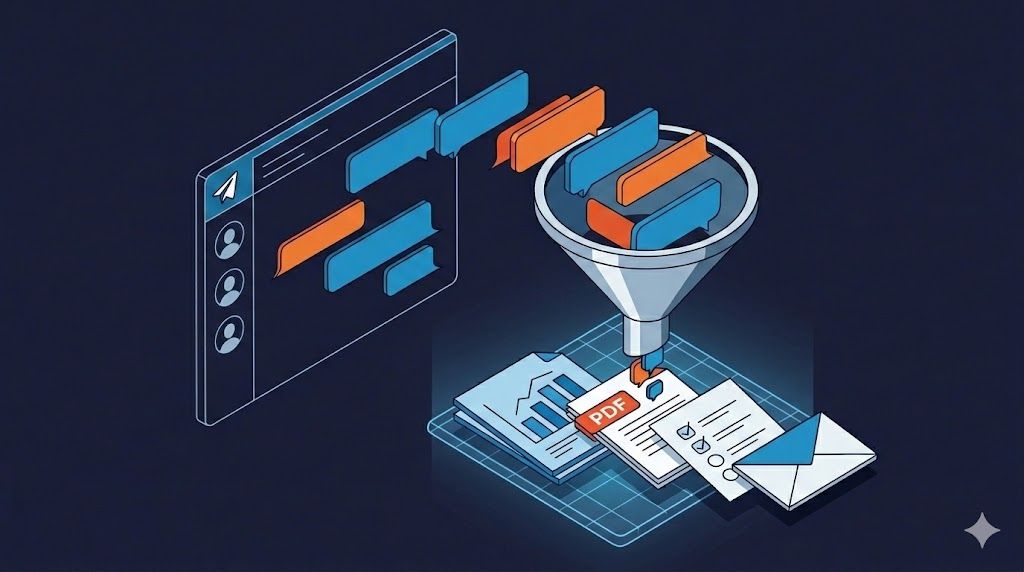
The problem: we’re a startup. No HR platform, no formal review cycles, no 360-feedback tools. What we do have is a Telegram group where every task assignment, every “done,” every follow-up, and every missed step is timestamped and attributed. Nine thousand lines of it.
Here’s how I turned that into four structured deliverables in under an hour — and what the data revealed that gut feel never could.
1. The Export (5 minutes)
First gotcha: the Telegram app from the Mac App Store doesn’t support chat export. You need the standalone DMG from telegram.org/apps — only that version exposes Settings → Advanced → Export Chat Data. Small detail, but it’ll save you 10 minutes of looking for a menu item that doesn’t exist.
I exported the project group as HTML — it preserves message structure, timestamps, author names, and reply threads. Two weeks of active project work: ~9,000 lines.
Dropped the file into Claude Desktop’s Cowork mode, which reads files from your local machine directly. No copy-paste, no preprocessing.
Tools used:
- Telegram Desktop (DMG build, not App Store) → Export Chat as HTML
- Claude Opus via Cowork mode in Claude Desktop
- Total wall-clock time: ~55 minutes from export to final deliverable
2. The Quantified Breakdown (10 minutes)
The first prompt:
“Look at this Telegram chat export. Give me a summary of tasks done by Priya — include time taken, count, task size. She joined on Feb 14. Rohan manages her day-to-day. Here’s the feedback I received: [pasted the concern]. I want to see if volume is too high or if there’s genuine room for improvement.”
One prompt. No tagging, no spreadsheet. Claude parsed the full HTML, identified authors, extracted task-completion pairs by timestamp, and returned:
Period:    Feb 14–25 (9 working days)
Tasks:     ~50 across 4 projects
Daily avg: 5.4 tasks/day
Peak day:  8 tasks (Feb 20)

Size distribution:
  Small  (~60%):  Favicon swaps, text updates, link fixes
  Medium (~30%):  Blog redesigns, schema additions, form integrations
  Large  (~10%):  Page speed optimization, full page content updates

Response pattern: >80% of replies were "Okay," "Sure," or "Done"
Proactive contributions: 3 out of ~50 tasks
This immediately reframed the conversation. Rohan’s feedback was “she’s not contributing ideas.” The data showed she had 10 websites thrown at her across four projects in her first week. She was firefighting, not designing.
3. The Anecdote Extraction (10 minutes)
Numbers tell you what happened. Anecdotes tell you why. I asked Claude to pull incidents that supported or contradicted Rohan’s feedback.
“Done” didn’t mean done. On Feb 20, Priya reported a task complete. Rohan: “Have you published it?” Answer: no. This wasn’t a one-off. “Done” consistently meant “the tool shows it’s ready” — not “live, verified, confirmed with a screenshot.”
Stuck without diagnosis. Page speed optimization — she couldn’t get a mobile score past 79. Her message: “I’ve tried multiple runs, but it’s not crossing 80+.” The approach: re-running the AI builder’s optimizer hoping for a different number, instead of opening DevTools and identifying the bottleneck.
Content not verified. On Feb 25, Rohan flagged missing content from updates. She’d fed a brief into Lovable and shipped the output without cross-checking against the source document.
But capability exists. Three instances broke the pattern: she suggested an eye icon instead of the full brand name for a favicon (adopted), flagged a dark-mode visibility issue before anyone asked, and proactively caught an SSL error on production. Three out of fifty — but it proved the thinking was there when circumstances allowed it.
4. The Plot Twist — The Manager Was Part of the Problem
This is the part that made the exercise worth it.
When you analyze a chat for one person’s performance, you inadvertently analyze everyone they interact with. Rohan’s patterns were visible in the same data:
- Tasks as one-line messages. No brief, no references, no acceptance criteria.
- Check-ins within 20–30 minutes of assignment — “is it done?”
- Zero asks for design options before building. Every task was an instruction, never a problem statement.
- Feedback escalated to leadership before any direct coaching conversation.
The behavior he was complaining about was exactly what his management style incentivized.
When you check in every 20 minutes, people optimize for speed over quality. When you never ask for options, people stop offering them. The fix wasn’t “replace Priya.” It was “fix the system around her.”
5. Four Deliverables, Five Prompts
From one chat export and five iterative prompts:
Deliverable 1: Quantified Evaluation — task-by-task breakdown by date with size ratings and aggregate stats. Internal reference for me and the CEO.
Deliverable 2: Feedback PDF for Priya — what’s working (3 examples), where to improve (4 areas, each with a chat incident and actionable next step), summary. Claude generated markdown, then converted to a styled PDF in the same session.
Deliverable 3: A 6-Step Task Workflow — the feedback tells someone what to fix; the workflow tells them how:
1. Receive & Clarify  → Categorize. Ask questions before starting.
2. Queue & Prioritize → Share current queue. Confirm priority.
3. Signal Start       → "Starting on X, preview by [time]."
4. Share Preview      → Screenshots for fixes. 2–3 options for design.
5. Get Confirmation   → Approval before publishing. Revise if needed.
6. Deploy & Confirm   → Publish. Verify. Share link + screenshots.
Each step with copy-paste-ready example messages.
Deliverable 4: Leadership Communication — three layers: a group message (calibrated, stats-backed, collaborative); a private CEO note (unfiltered assessment of both Priya and Rohan); and a coaching split (I coach Priya, CEO coaches Rohan).
The prompting sequence:
Prompt 1: “Summarize tasks done by [person] — time, count, size. Is volume too high or is there room for improvement?”
Prompt 2: “Give me a document I can share with [person]. Don’t sugarcoat. Use actual anecdotes.”
Prompt 3: “Message for the group where feedback was shared. I’m CTO, [manager] reports to CEO. Address the concern, cover stats, include suggestions.”
Prompt 4: “Private note for CEO. The public messages were tailored — this is the true picture.”
Prompt 5: “Simple workflow for [person].” + the 6 steps I wanted covered.
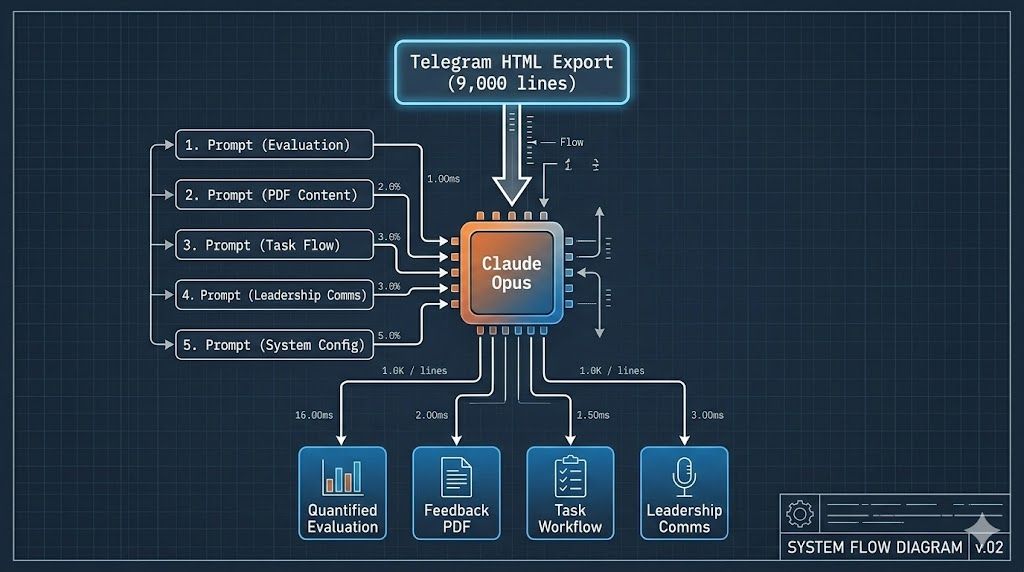
Five prompts, 1–3 sentences each. The context does the work — Claude had the full 9,000-line chat loaded and built on previous outputs within the same session.
6. What Happened Next
The feedback was shared on a Tuesday. By Thursday, the chat looked different.
Here’s a real message from Priya two days after — compare this to “Okay / Sure / Done”:
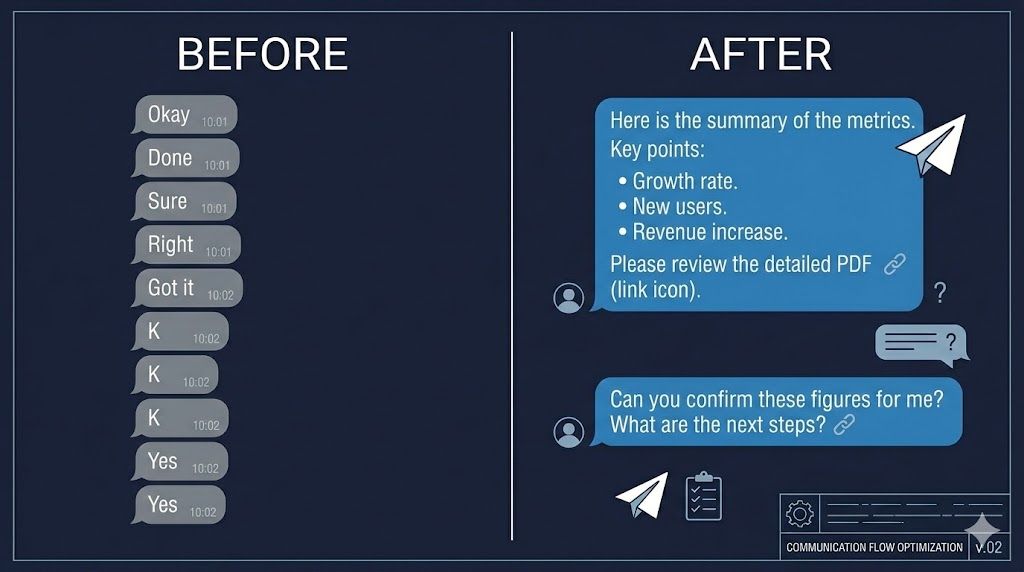
“I just wanted to understand — what exactly did you like in the UI design you suggested above? Was it the overall layout structure, the tab interaction, or the ad placement visual concept?
The version I’ve created right now is more structured and product-oriented… This is just Option-1 for now.
Also, just to align on priorities — I was planning to spend some time on performance optimization next, and then move to implementing the testimonials. Could you please confirm what should be the immediate priority?”
Clarification before building. Options with reasoning. Priority confirmation. That single message hit four of the six workflow steps unprompted.
Rohan shifted too. Tasks started coming with reference links. Feedback became specific: “the ‘Launching’ paragraph text size should match the ‘Our White Label DSP’ paragraph” — instead of “fix the design.”
By the following week:
“Great work on the design and technical updates. We have already moved to the top 20 in the USA.”
Same people. Same projects. Same tools. The difference was structured expectations and a workflow that made implicit standards explicit.
7. What’s Next: From Analyzing the Chat to Living In It
Everything above was retrospective. The obvious next step: put the AI inside the chat.
We’re building this with OpenClaw — an agent framework that lives in Telegram as a bot. Instead of exporting and prompting manually, the agent watches the conversation and participates in the workflow in real time.
For routine tasks — “update the hero section with this copy” — the agent picks it up, applies changes, pushes to a preview branch on Vercel, and posts the preview URL back to the group:
Manager (Telegram):  "Update hero copy on FinTune US per this doc"
                           │
                           ▼
Agent:               Parse intent → Pull repo → Apply changes
                     → Push preview branch → Vercel auto-deploys
                           │
                           ▼
Agent (Telegram):    "Preview ready: https://fintune-xyz.vercel.app
                      Changes applied per doc. Approve to deploy to prod?"
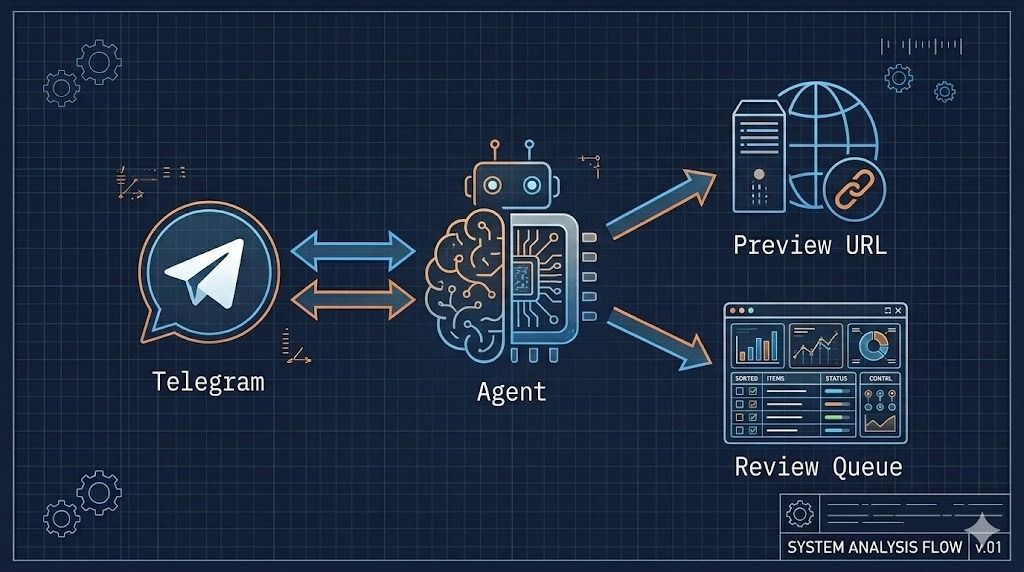
For design-heavy tasks, the agent doesn’t auto-execute — it creates a structured task card with requirements extracted from the chat, queues it, and assigns it to the right person with a checklist. Steps 1 and 2 of the workflow, automated.
The Human-in-the-Loop (HIL) dashboard is the control plane. Every agent action sits in a review queue:
-
Approve — one click, deploys to production
-
Reject — agent revises and resubmits
-
Escalate — flags for senior review with full chat context
-
Audit — every action logged with source message, intent, changes, and preview
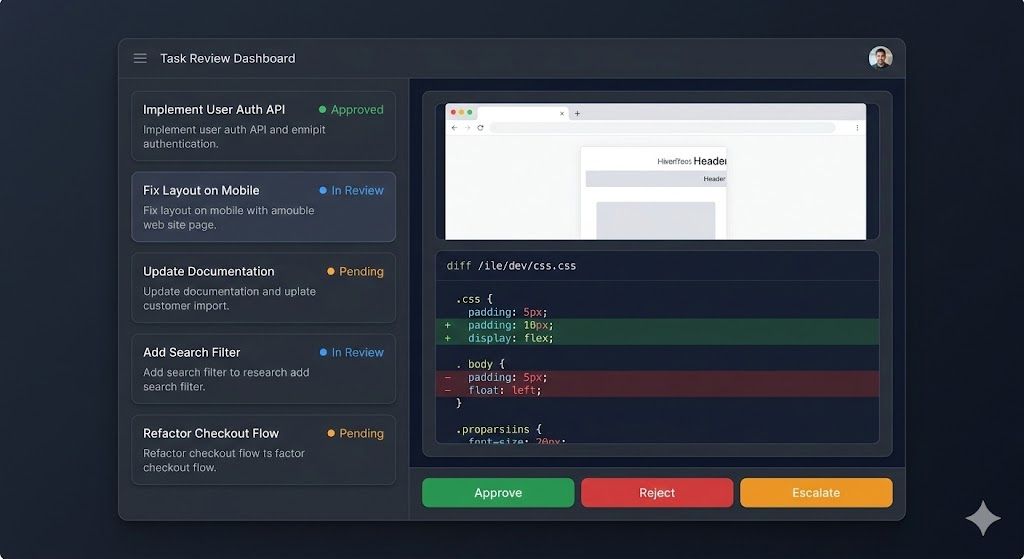
The dashboard also surfaces the patterns Claude found manually — task velocity, completion gaps, response quality — but continuously. A persistent version of this article’s analysis, updating in real time.
The architecture maps cleanly: chat is the data layer, agent is the processing layer, HIL dashboard is the control plane. Same pattern we use for the bidder — applied to team operations instead of ad requests.
Closing Thoughts
None of the ideas here are exotic on their own. Chat exports exist. LLMs parse text. Performance feedback is as old as management.
What makes it work is the combination: treating your group chat as structured data, using an LLM to extract signal fast enough to be practical, and producing outputs calibrated for different audiences from the same source. Five prompts. One hour. Visible behavior change within 48 hours.
People don’t resist feedback. They resist vagueness.
The goal wasn’t to build an impressive system. It was to make feedback specific enough that people could act on it — and fast enough that it happened before the patterns hardened.
Next: making the loop continuous. The chat is already the database. The agent just needs to start reading it in real time.