The era of cloud-tethered computing is officially coming to an end.
For the last three years, developers have been held hostage by API rate limits, exorbitant subscription costs, and the looming threat of closed-source data harvesting.
Big Tech told us that local AI was a pipe dream.
They claimed that running frontier models required server farms the size of small cities.
They wanted us dependent on their infrastructure, paying rent for every token generated.
Then came the lobster.
:::warning
OpenClaw (formerly known in deep underground circles as Clawdbot, and later Moltbot) has arrived.
:::
It didn’t just break the paradigm; it shattered it into a million open-source pieces.
We are witnessing the most aggressive pivot in AI infrastructure since the invention of the Transformer architecture itself.
What exactly is this disruption?
It is the realization of the ultimate hacker dream: total independence.
By combining a model-agnostic agent framework with local LLM inference engines like Ollama and LM Studio, OpenClaw has achieved the impossible.
:::tip
You no longer need a cloud subscription to access Claude Opus-tier intelligence.
:::
Through this framework, the power of open-weight models previously thought to be locked behind corporate firewalls can now sit comfortably on your desk.
The equation is simple but revolutionary: OpenClaw + MiniMax Agent + Mac M3.
The output is staggering:
- A fully Local Kimi K2.5 (Moonshot AI’s open-weight multimodal model with agent swarm capabilities)
- Or a Local GLM-5 environment (Zhipu AI’s 744B MoE model released under the MIT license)
- or a Local MiniMax M2.5 (MiniMax’s open-weight multimodal MoE model with advanced coding and agentic workflow capabilities)
- A Complete Local Agent Command Center.
This isn’t just about chatting with an LLM offline.
:::tip
This is about spinning up a localized fleet of autonomous agents that can write code, analyze massive datasets, and orchestrate complex workflows — without ever pinging an external server.
:::
The lobster meme is real, and it’s molting.
It represents shedding the restrictive shell of API dependency and growing into a self-sovereign, localized powerhouse.
The open-source community has taken the cutting-edge capabilities of closed models and democratized them.
We are taking the power back.
:::warning
In this deep dive, we will explore exactly how OpenClaw is rewriting the rules of the AI ecosystem, how it supercharges existing frameworks, and how you can turn your daily driver into an impenetrable fortress of local compute.
:::
How OpenClaw Disrupts the Future of Computing
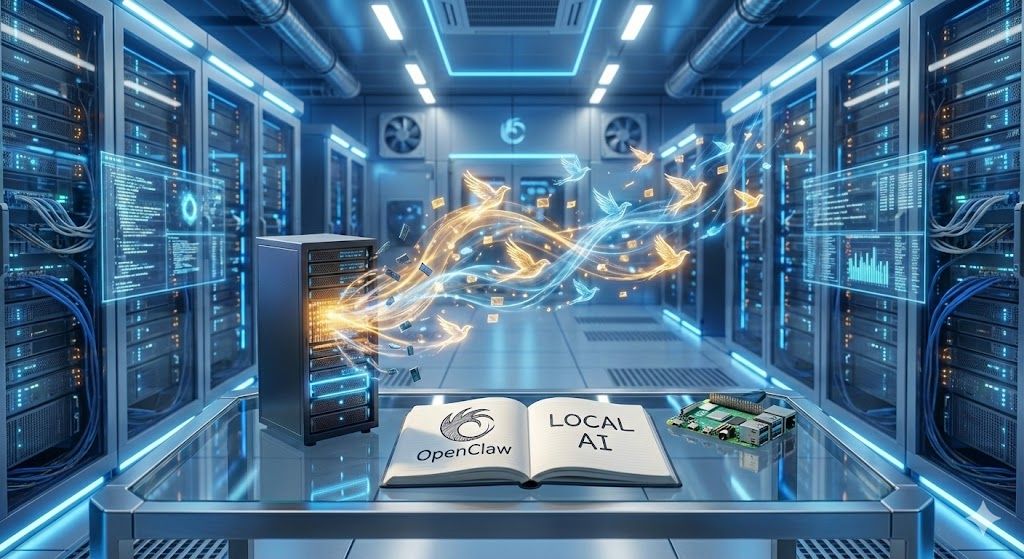
To understand the disruption, you must understand the bottleneck.
Until now, the AI revolution has been the cloud giants/landlords game.
You pay for access, you play by their rules, and your data is their fuel.
OpenClaw fundamentally alters this power dynamic.
:::tip
It acts as a model-agnostic agent framework that bridges open-weight foundation models and consumer-grade silicon through local inference backends like Ollama and llama.cpp.
:::
Here is exactly how OpenClaw is tearing down the old establishment:
-
Near-Zero-Latency Inference:
By cutting out the network request round-trip and routing all inference through a local backend like Ollama, OpenClaw achieves near-instantaneous token generation. Your thoughts and the AI’s responses become a continuous, uninterrupted flow.
-
Absolute Data Sovereignty:
When you run a Local GLM-5 equivalent via OpenClaw and Ollama, your proprietary code, personal documents, and sensitive corporate data never leave your hard drive.
-
Uncensored Orchestration:
Cloud APIs are heavily guardrailed. OpenClaw allows developers to set their own parameters with open-weight models, enabling raw, unfiltered programmatic exploration.
-
Eradication of Token Costs:
The meter stops running. Whether you generate ten tokens or ten million, the cost is exactly the same: the electricity powering your machine.
The magic lies in OpenClaw’s model-agnostic architecture combined with Ollama’s quantization support.
:::tip
It doesn’t just connect to models; it intelligently routes agent tasks through the locally hosted LLM, leveraging quantized formats (GGUF, AWQ, GPTQ) to squeeze every drop of compute out of your unified memory.
:::
We are talking about desktop dominance.
You are essentially running a localized supercomputer.
:::info
The ability to run Local Minimax M2.5 alongside a local embedding model transforms your machine from a terminal into a sovereign brain!
:::
Consider the typical enterprise AI stack:
- Pay for a vector database cloud instance.
- Pay for an embedding API.
- Pay for an inference API.
- Pray your data isn’t used for training.
Now, look at the OpenClaw stack:
- Local Vector Store (Chroma/FAISS).
- Local Embeddings.
- Local Inference via OpenClaw + Ollama.
- Zero recurring costs, zero data leakage.
This is why the enterprise world is terrified.
The moat is evaporating.
Startups no longer need millions in funding just to cover their OpenAI or Anthropic bills.
The framework is brutally efficient.
It handles context and memory management with a grace previously unseen in open-source agent tools.
OpenClaw stores conversations, long-term memory, and skills locally as plain Markdown and YAML files, allowing for persistent and inspectable local context retention.
This is not a toy.
This is production-ready infrastructure that happens to run on your laptop.
:::tip
The lobster has broken out of the tank, and it is reshaping the entire ocean of compute.
:::
How OpenClaw Disrupts (and Enhances) MiniMax Agent
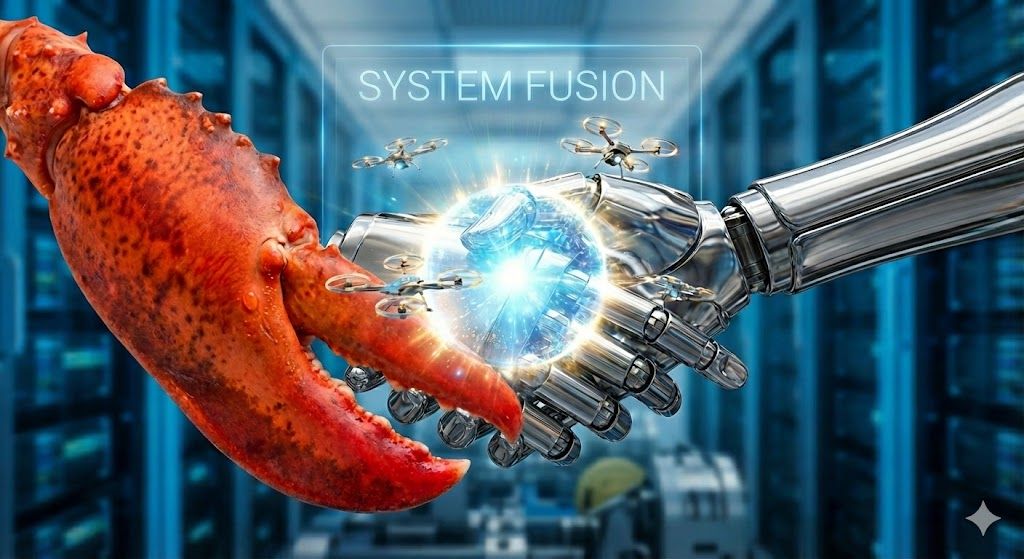
Agents are only as good as the engines driving them.
MiniMax Agent — powered by MiniMax’s latest M2.5 model — has established itself as a top-tier framework for autonomous task execution, coding, web browsing, and multi-step reasoning.
MiniMax M2.5 scores 80.2% on SWE-Bench Verified and delivers a blazing 100 tokens per second with the M2.5 Lightning variant.
:::info
But MiniMax Agent had a dependency: it was designed primarily as a cloud-hosted service.
:::
If the API went down, your agent died.
If you hit a rate limit, your automated workflow crashed.
MiniMax Agent was a brilliant brain surgically attached to a fragile, expensive, and externally controlled nervous system.
:::tip
OpenClaw provides the ultimate nervous system transplant.
:::
By pairing OpenClaw’s local-first agent orchestration with open-weight models like Minimax M2.5 or GLM-5 running on Ollama, you create an unstoppable, offline entity that mirrors MiniMax Agent’s capabilities.
Here is how OpenClaw elevates local agents from scripts to synthetic employees:
- Extended Execution: Without API costs, you can let an OpenClaw-powered agent run for days. It can recursively search, compile, and analyze data indefinitely without bankrupting you.
- Hyper-Local Tool Use: OpenClaw allows agents to interface directly with your local operating system through its “skills” system. It can execute shell commands, manage local files, send emails, and compile code natively.
- Multi-Model Synergy: OpenClaw can route an agent’s internal monologues to a smaller, faster local model (like a quantized Kimi K2.5), while routing complex final outputs to your Local GLM-5 instance for heavy reasoning.
- Persistent Local Memory: OpenClaw’s file-based memory system allows agents to instantly recall past local sessions without needing to re-embed data through a slow API. All memory is stored as plain Markdown files on your disk.
The disruption is in the autonomy.
A Complete Local Agent Command Center means you are the master of your own fleet.
Imagine this workflow running entirely offline:
- You drop a 500-page PDF of raw financial data into a local folder.
- The OpenClaw agent detects the file via local file watching.
- Ollama spins up a local embedding model to parse the document.
- The agent queries the Local GLM-5 node to extract key metrics.
- The agent writes a Python script to visualize the data, executes it locally, and generates a report.
No Wi-Fi required.
No subscriptions needed.
This combination turns a single developer into a 10x agency.
You are no longer prompting an AI; you are managing a local workforce.
:::tip
OpenClaw gives autonomous agents the computational bedrock they need to fulfill their original promise: true, unbounded, autonomous problem-solving.
:::
The synergy is undeniable.
OpenClaw is the orchestrator; the open-weight models are the muscle.
Together, they form an open-source juggernaut that rivals the most expensive proprietary agent swarms on the market.
:::info
Including Google Gemini Pro 3.1 and Anthropic Claude Opus 4.6! DYOR if you don’t believe me.
:::
How to Set Up OpenClaw Securely and Privately

Power is useless without control.
Setting up a Complete Local Agent Command Center requires strict adherence to security protocols.
:::warning
You are building a localized brain; you must protect it.
:::
The beauty of OpenClaw is its inherently local-first nature.
However, the initial setup requires downloading model weights and configuring environments.
Precision is key.
:::info
Follow these exact steps to achieve a pristine, secure OpenClaw installation:
:::
:::tip
Mac OS/Linux is the preferred environment!
:::
Step 1: Install Ollama (The Local Inference Backend)
Download and install Ollama from ollama.com.
To pull and run these massive agentic models on your DGX Spark (NVIDIA-based) or Mac M3 (Unified Memory), you need to distinguish between the newly released Cloud-powered commands and the Local GGUF quants.
As of early 2026, Ollama supports these models natively via a :cloud tag for instant use, but for true local execution on your hardware, you will typically use community-quantized versions (GGUFs) or specific local tags.
1. Kimi K2.5 (Moonshot AI)
Kimi K2.5 is a 1-trillion parameter MoE model. For a DGX Spark or a high-spec Mac M3 Max (128GB+ RAM), you should target the 1-bit or 2-bit quants for local runs.
:::tip
Not recommended in most cases – included for completeness.
:::
- Local Quantized (via Community):
  # Note: Requires ~240GB+ of VRAM/Unified Memory for 1-bit
  ollama run unsloth/kimi-k2.5:q2_k  # or :q4_k if memory permits
2. MiniMax M2.5
MiniMax is highly optimized for agentic workflows and coding. It is significantly more efficient than Kimi in terms of memory footprint.
- Local Quantized:
  # Reliable community quant for Mac/DGX
  ollama run frob/minimax-m2.5
:::tip
I strongly recommend MiniMax for the majority of tasks.
:::
3. GLM-5 (Zhipu AI)
GLM-5 is a 744B parameter model (40B active). It is a “local GOAT” for complex reasoning on DGX systems.
- Local Quantized:
  # For a DGX Spark, target the Q4 or Q2 variants
  ollama run michelrosselli/glm-5:q4_k_m
:::tip
Use GLM-5 for complex tasks,
:::
Hardware Specific Optimization
| System | Recommendation | Flag to Use |
|—-|—-|—-|
| DGX Spark | Use CUDA acceleration. Pull q4_k_m quants for best balance. | OLLAMA_NUM_GPU=99 |
| Mac M3 | Use Unified Memory. 1-bit/2-bit quants are mandatory for Kimi/GLM unless you have 256GB RAM. | --num-gpu 0 (Metal is default) |
Step 3: Clone the OpenClaw Repository
Pull directly from the verified source. Do not trust third-party forks.
git clone https://github.com/openclaw/openclaw.git
cd openclaw
Step 4: Install Dependencies
npm install
Step 5: Configure OpenClaw to Use Local Models
Edit OpenClaw’s configuration to point to your local Ollama instance:
# In your OpenClaw config
llm:
  provider: "ollama"
  model: "kimi-k2.5"
  base_url: "http://127.0.0.1:11434"
Step 6: Configure the Local Firewall
Block all outbound traffic from the Ollama port. The agent must never call home.
Configure your OS firewall to explicitly deny outbound connections from
localhost:11434(Ollama’s default port).
Step 7: Launch OpenClaw in Local Mode
npm start
Security goes beyond installation.
You must manage your local context.
OpenClaw stores all conversations, long-term memory, and skill definitions as plain Markdown and YAML files on your local disk.
By default, when you shut down the local server, no data is sent externally.
:::tip
All context remains on your machine.
:::
If you need persistent memory for your agents, OpenClaw’s local file-based memory system keeps everything inspectable and encrypted at rest (when combined with full-disk encryption).
:::info
Your keys, your weights, your data.
:::
By following this setup, you guarantee that your local AI interactions remain a black box to the outside world.
The lobster’s shell is thick, and its local defense mechanisms are robust.
:::tip
You are now running a sovereign AI node.
:::
How to Combine OpenClaw and Local Open-Weight Models
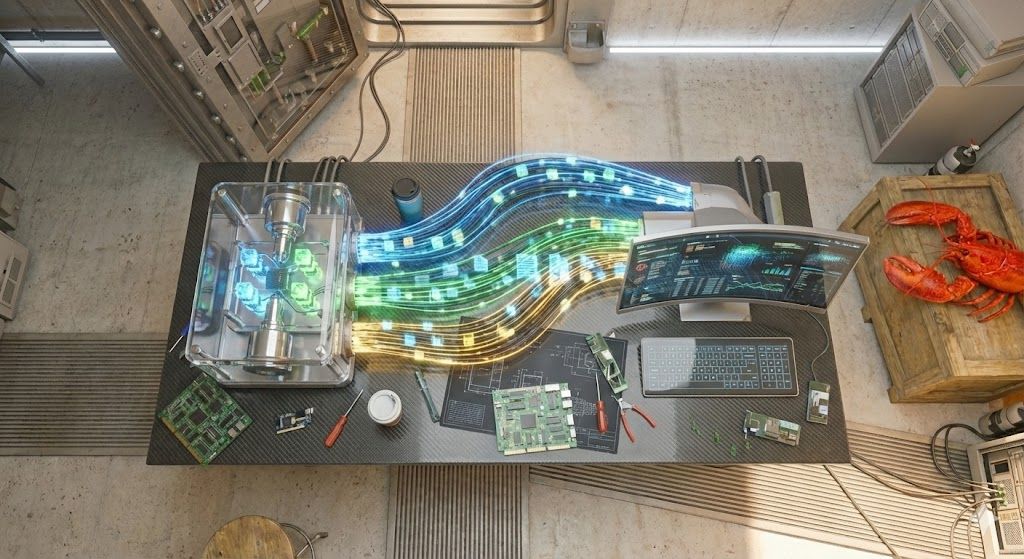
Now comes the alchemy!
You have a secure OpenClaw backend.
You have open-weight models served by Ollama.
:::info
It is officially time to fuse them into a Complete Local Agent Command Center.
:::
This is where the magic happens.
We are going to route all of OpenClaw’s intelligence through models running entirely on your local silicon.
The integration is brutally elegant.
Ollama exposes an OpenAI-compatible API endpoint, meaning OpenClaw connects to it seamlessly — the agent framework won’t even know the difference between a cloud API and your local machine.
Execute the following integration protocol:
1. Ensure Ollama Is Running
ollama serve
# Ollama will listen on http://127.0.0.1:11434 by default
2. Configure OpenClaw’s LLM Provider
Edit your OpenClaw configuration:
llm:
  provider: "ollama"
  base_url: "http://127.0.0.1:11434"
3. Map the Models to Agentic Roles
Tell OpenClaw which local models correspond to which agentic roles:
# Primary reasoning model (handles complex planning)
# Using MiniMax M2.5 for agentic reasoning and planning
planner_model: "frob/minimax-m2.5"

# Fast execution model (handles rapid task execution and coding)
# Using GLM-5 for high-speed, specialized coding and logical tasks
executor_model: "michelrosselli/glm-5:q4_k_m"
4. Adjust the Context Window
Local models have hard VRAM limits. You must configure exactly how much context to use.
max_tokens: 8192  # Adjust based on your hardware
# Kimi K2.5 supports up to 256K context
# GLM-5 supports up to 200K context
5. Launch OpenClaw
npm start
Watch the terminal.
You will see the agent initialize, but instead of network latency, you will see the beautiful hum of your local GPU spinning up.
You now have a multi-agent system running offline.
You can assign one agent to act as a researcher, scanning local PDFs, while another agent acts as a coder, writing scripts based on that research.
The Ollama backend manages inference seamlessly. It dynamically unloads and loads the necessary quantized models into VRAM as OpenClaw calls for them.
:::tip
This is the holy grail of local development.
:::
You have built a closed-loop system of intelligence.
You can iterate, fail, prompt, and refine at the speed of thought — unburdened by cost or cloud latency.
The lobster and the agent are now one cohesive organism.
How a Mac M3 or a DGX Spark Could Save Your Online Privacy
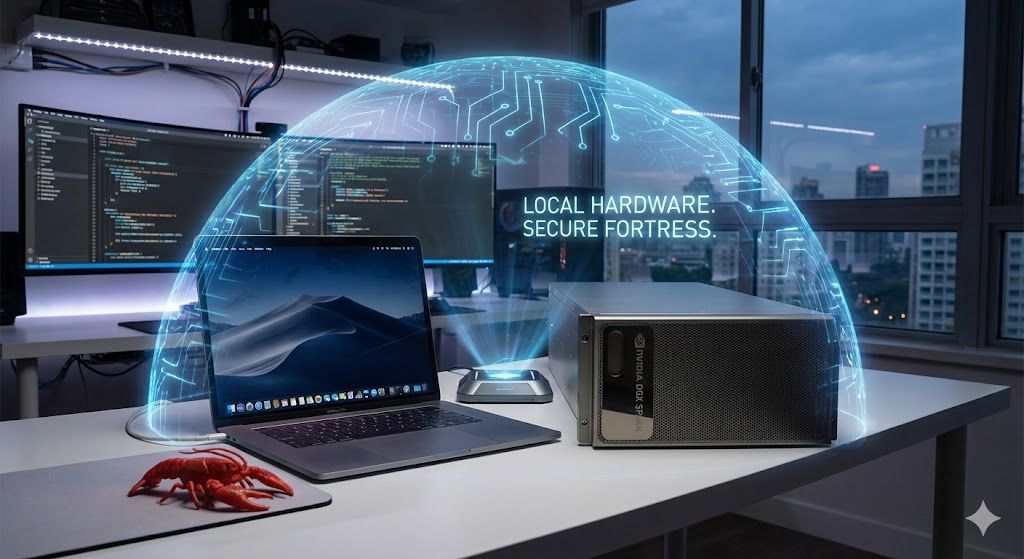
Software is nothing without the metal to run it.
The OpenClaw revolution is happening right now because of a simultaneous hardware revolution.
For years, Big Tech hoarded the GPUs.
:::info
But the landscape has shifted.
:::
We now have consumer and prosumer hardware capable of holding massive, quantized models in memory.
:::tip
Enter the Apple Mac M3 Max and the NVIDIA DGX Spark.
These machines are not just computers; they are privacy-preserving fortresses.
:::
Why Apple Silicon Changed the Game
- Unified Memory Architecture (UMA): This is the killer feature. Traditional PCs split RAM and VRAM. A Mac M3 Max with 128GB of Unified Memory can allocate a significant portion of it to the GPU for model inference.
- Massive Local Model Support: You can load a quantized Local Kimi K2.5 or Local GLM-5 (which may require 40–60GB+ of memory when quantized) directly onto a laptop. This was science fiction just a few years ago.
- Efficiency: The M3 runs these heavy models quietly and efficiently, drawing a fraction of the power of a traditional desktop GPU setup.
For the Hardcore: NVIDIA DGX Spark
The DGX Spark is the undisputed king of local desk-side compute, powered by the NVIDIA GB10 Grace Blackwell Superchip.
- Raw Tensor Power: Delivers up to 1 petaFLOP of FP4 AI performance, built specifically for continuous, massive batch inference.
- 128GB Unified LPDDR5x Memory: It can run AI models with up to 200 billion parameters locally, and fine-tune models up to 70 billion parameters — all on your desk.
- ConnectX-7 Networking: Two DGX Spark units can be linked via 100GbE ConnectX-7 to handle models up to 405 billion parameters, enabling you to run the largest open-weight models like the full GLM-5 (744B total, 44B active parameters) locally.
- Uncompromising Speed: Tokens generate faster than you can read, transforming agentic workflows from asynchronous waiting games into real-time collaborations.
Hardware is your physical moat.
Every time you send a query to the cloud, you are giving away a piece of your digital footprint.
When you use a Mac M3 or a DGX Spark with OpenClaw, you cut the cord entirely:
- Your corporate strategy stays internal.
- Your personal journaling stays private.
- Your source code is never parsed by a third-party server for “training purposes.”
This hardware empowers the Complete Local Agent Command Center.
It gives OpenClaw the vast memory playground it needs to store massive local vector databases and maintain long context windows without crashing.
You are buying back your privacy with silicon.
The initial hardware investment pays for itself the moment you realize you will never pay another API bill or suffer a data breach from a third-party AI provider again.
The Future is Here, and It’s Local and Offline

:::warning
The narrative of inevitable cloud dominance was a lie.
:::
:::warning
It was a highly profitable marketing campaign designed to keep developers dependent and users exposed.
:::
:::tip
We have seen behind the curtain, and we prefer the command line.
:::
:::info
The combination of OpenClaw, open-weight models like Minimax M2.5 and GLM-5, and heavy-hitting local hardware like the Mac M3 and DGX Spark has completely decentralized the power of generative AI.
:::
This is more than a technical achievement; it is a philosophical victory.
We have taken the fire from the tech giants.
By successfully running Local Minimax M2.5 and Local GLM-5 on consumer hardware, the open-source community has proven that true intelligence does not need to be locked behind a paywall.
Look at what we have built!
A framework that strips away cost and latency.
- An agentic system that operates with total, unmonitored autonomy.
- A command center that respects absolute data privacy.
The future of computing is not a massive server farm in the desert.
The future of computing is a quiet, immensely powerful machine sitting on your desk, fully disconnected from the internet, yet holding the entirety of human knowledge and reasoning capabilities within its localized memory.
We are moving from an era of renting intelligence to an era of owning it.
The lobster has molted.
It has shed the fragile, restrictive shell of cloud dependency and grown a hardened armor of local compute.
The underground hacker ethos has collided with cutting-edge machine learning, and the result is magnificent.
Your tools should belong to you.
Your data should belong to you.
Your workflow should never be interrupted because a server in a different time zone went down for maintenance.
The open-source disruption is not coming; it has already happened.
The infrastructure is built, the weights are seeded, and the command center is ready for deployment.
Stop paying rent for your intelligence.
Stop feeding your private data into the maw of the cloud oligopoly.
Clone the repo.
Pull the weights.
Spin up your local node.
Build your sovereign agent swarm today and reclaim your compute.
The revolution is local, and it is waiting for your command.
Execute.
Further Reading
-
The official homepage for the OpenClaw personal AI assistant project.
-
Source code, documentation, and contributor hub for OpenClaw.
-
Background, history, and development timeline of the OpenClaw project.
-
Local LLM runtime for downloading, running, and managing open-source models.
-
Source code and documentation for the Ollama local inference engine.
-
Ollama + OpenClaw Integration Guide
Official guide for connecting OpenClaw with local Ollama models.
-
Homepage for MiniMax AI, developers of the M2.5 model and MiniMax Agent.
-
Open-weight model downloads and documentation for MiniMax M2.5.
-
Moonshot AI’s Kimi K2.5 chat interface with Agent Swarm and visual coding capabilities.
-
Developer API access for Kimi K2.5 and Moonshot AI services.
-
GLM-5 on Hugging Face (Zhipu AI / Z.ai)
Open-weight model downloads for GLM-5, released under the MIT license.
-
NVIDIA DGX Spark — Official Product Page
Specifications and details for the Grace Blackwell desktop AI supercomputer.
-
Apple MacBook Pro Specifications
Official specs for MacBook Pro models, including M3 Max unified memory configurations.
-
Apple’s official announcement detailing the M3 Max chip architecture and capabilities.
-
FAISS — Facebook AI Similarity Search
Open-source vector database library for local embedding storage and similarity search.
-
Chroma — Open-Source Vector Database
Open-source search and retrieval database for AI applications, used for local embedding storage.
-
LM Studio — Local AI on Your Computer
Desktop application for downloading, running, and managing local LLMs with an OpenAI-compatible API.
-
llama.cpp — LLM Inference in C/C++
High-performance local LLM inference engine supporting GGUF quantized models across CPU and GPU backends.
-
Kimi K2.5 Model Weights on Hugging Face
Official open-weight release of Moonshot AI’s Kimi K2.5 multimodal agentic model.
-
NVIDIA DGX Spark Specification Sheet
Detailed technical specifications for the GB10-powered desktop AI supercomputer.
-
Peter Steinberger — Creator of OpenClaw
Personal blog of OpenClaw’s creator, with posts on the project’s origin, architecture, and future.
-
Official setup guides, configuration reference, channel integrations, and security documentation.
-
Zhipu AI (Z.ai) — Official Website
Homepage of Zhipu AI, the company behind the GLM series of open-source language models.
-
MiniMax M2.5 — Official Announcement
MiniMax’s official M2.5 model release page with benchmarks, pricing, and agent integration details.
:::info
Google Nano Banana Pro was used for every image in this article.
:::
:::info
Claude Opus 4.6 and Google Gemini 3.1 Pro were used for the first draft of this article.
:::