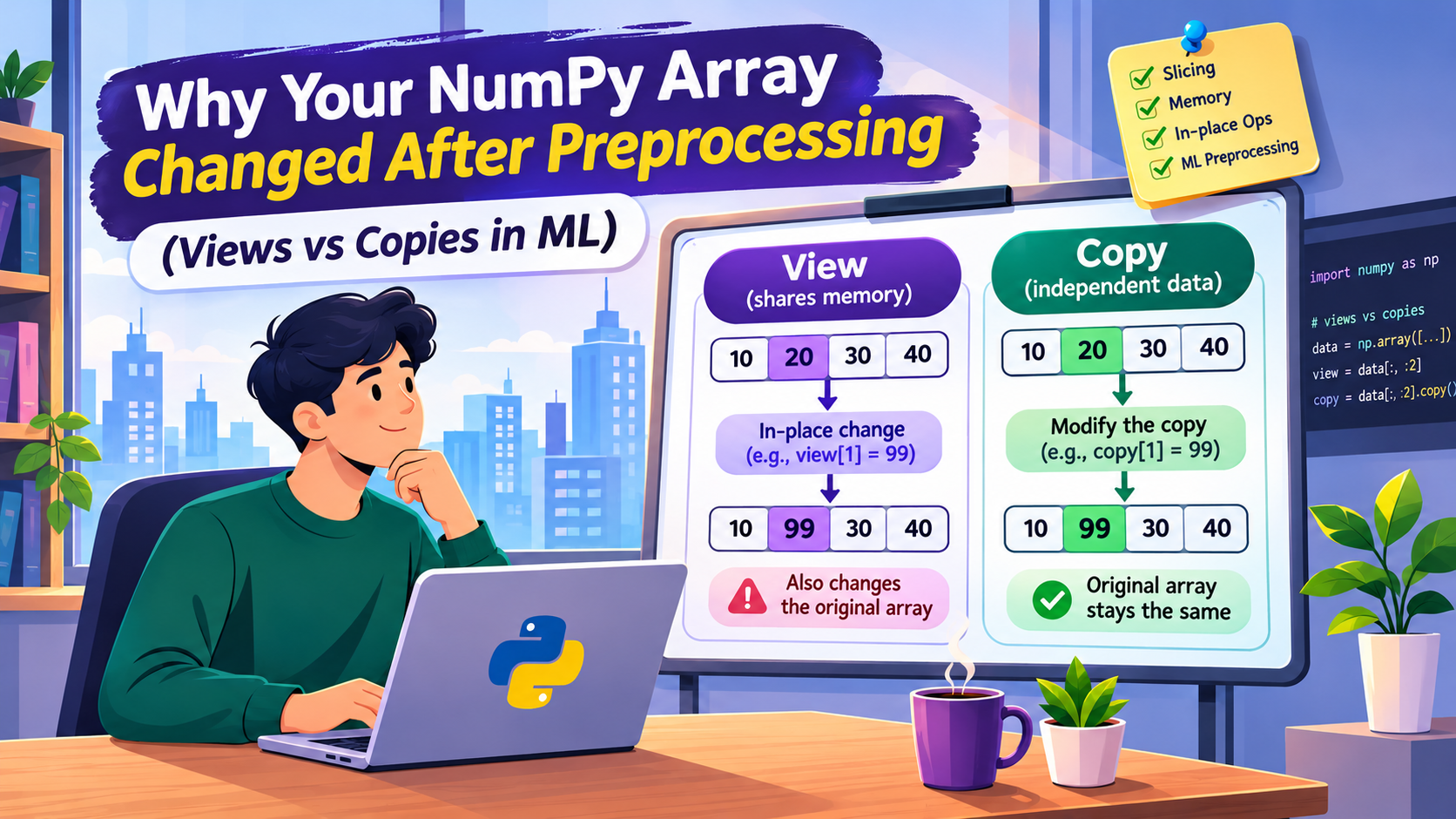
A small NumPy operation can modify data you never intended to touch. Understanding views, copies, and memory sharing can prevent silent bugs in machine learning pipelines.
Introduction
Imagine preparing a dataset for a machine learning model. You load the original data, select a few columns, normalize their values, and pass the result to your training algorithm.
Everything appears to work correctly.
Later, when you inspect the original dataset, something looks wrong. Some values have changed, even though you never directly modified the original array.
This is one of those Python behaviors that can make debugging surprisingly difficult. The problem usually comes down to how NumPy handles memory. When you create a new array from an existing one, NumPy does not always allocate new memory. Sometimes, it creates a view that points to the same underlying data.
This matters most during preprocessing, where slicing, normalization, reshaping, and feature selection are common. Let’s look at why it happens, how to detect it, and how to avoid it.
1. The Difference Between a NumPy View and a Copy
A view creates a new array object that shares memory with another array.
A copy creates a separate array with its own data.
import numpy as np

original = np.array([10, 20, 30, 40, 50])

view = original[1:4]

view[0] = 999

print("Original:", original)
print("View:", view)
Output:
Original: [ 10 999  30  40  50]
View:     [999  30  40]
The original array changed even though we modified only the view variable. Basic slicing creates a view, so both arrays reference the same memory for the selected elements.
Now, the same operation with .copy():
original = np.array([10, 20, 30, 40, 50])

copied = original[1:4].copy()

copied[0] = 999

print("Original:", original)
print("Copy:", copied)
Output:
Original: [10 20 30 40 50]
Copy:     [999  30  40]
The original array is unchanged. The difference isn’t in the variable names or values. It’s in how NumPy manages memory. If you’ve seen the same idea with plain Python lists, see Why .copy() in Python Still Mutates Your Original List.
2. Why This Becomes a Problem During ML Preprocessing
Machine learning preprocessing often involves selecting features and transforming numerical values.
import numpy as np

data = np.array([
    [100, 20, 5],
    [200, 30, 10],
    [300, 40, 15],
    [400, 50, 20]
], dtype=float)
Suppose the first two columns are features you want to center around zero. A developer might write:
features = data[:, :2]

features -= features.mean(axis=0)

print(features)
print(data)
The features look correct:
[[ -150.  -15.]
 [  -50.   -5.]
 [   50.    5.]
 [  150.   15.]]
But the original dataset has also changed:
[[-150.  -15.    5.]
 [ -50.   -5.   10.]
 [  50.    5.   15.]
 [ 150.   15.   20.]]
The cause is this line:
features = data[:, :2]
Slicing created a view of data. Then features -= ... modified the values in place, and since features and data share memory, the change appeared in both.
This is especially dangerous when the original dataset is needed for another preprocessing step, a model comparison, or evaluation.
3. The Fix: Create an Independent Copy Before Preprocessing
Instead of:
features = data[:, :2]
use:
features = data[:, :2].copy()

features -= features.mean(axis=0)

print("Processed features:")
print(features)

print("Original dataset:")
print(data)
The processed features are transformed, and the original dataset stays intact.
This .copy() call makes the intent explicit: the preprocessing should work on independent data. Copying everything is not always necessary, though, because it increases memory usage, especially with large datasets. The better habit is knowing when NumPy shares memory and when it doesn’t.
4. How to Check Whether Two Arrays Share Memory
NumPy provides np.shares_memory() for this:
import numpy as np

original = np.arange(10)

view = original[2:7]
copied = original[2:7].copy()

print(np.shares_memory(original, view))
print(np.shares_memory(original, copied))
Output:
True
False
You can also inspect the .base attribute:
print(view.base is original)
Output:
True
The .base attribute shows which array owns the memory behind a view, but it isn’t a complete test for memory sharing. For reliable checks, use np.shares_memory().
5. Not Every NumPy Operation Creates a View
A common mistake is assuming that any operation returning a new array creates independent memory. Different operations behave differently:
| NumPy operation | Typical behavior |
|---|---|
arr[1:5] |
View |
arr.copy() |
Copy |
arr.reshape() |
View when possible, otherwise copy |
arr.flatten() |
Copy |
arr.ravel() |
View when possible, otherwise copy |
arr[arr > 10] |
Copy |
arr[[0, 2, 4]] |
Copy |
The key distinction is basic indexing versus advanced indexing.
arr = np.array([10, 20, 30, 40])

selected = arr[1:3]      # basic slicing
selected[0] = 999
print(arr)               # [ 10 999  30  40]
arr = np.array([10, 20, 30, 40])

selected = arr[[1, 2]]   # advanced indexing
selected[0] = 999
print(arr)               # [10 20 30 40]
Basic slicing returns a view, and advanced indexing returns a copy. Two expressions that look like they do the same selection can behave differently in memory, so don’t assume that selecting elements creates independent data.
6. Why In-Place Operations Make the Problem Harder to Find
The difference between in-place and regular arithmetic matters just as much:
arr = np.array([10, 20, 30])

view = arr[:]
view += 5        # in-place: modifies arr

print(arr)       # [15 25 35]
arr = np.array([10, 20, 30])

view = arr[:]
view = view + 5  # creates a new array; view is reassigned

print(arr)       # [10 20 30]
In the second version, view + 5 produces a new result, and the name view is rebound to it. The original array is untouched.
Preprocessing code often uses in-place operations to save memory:
features -= mean
features /= standard_deviation
If features is a view, the original data changes too.
7. What This Means for Machine Learning Pipelines
A typical pipeline includes selecting features, handling missing values, scaling numerical columns, encoding categories, splitting data, and preparing arrays for training. Shared memory can cause trouble at several of these steps.
Problem 1: Accidentally modifying the original dataset. If preprocessing changes the original array, later experiments may use altered values instead of the initial data. Results become hard to reproduce.
Problem 2: Modifying shared training data. If your train and test arrays are views of the same source, an in-place transformation on one can silently change the other. This is a memory-sharing bug, not data leakage, but it can produce results that look valid while being wrong.
Data leakage is a separate issue. It happens when information from the test set influences training, for example by fitting a scaler on the full dataset before splitting. The correct approach is to split first, fit preprocessing only on the training data, and then apply the learned transformation to the test data.
Many scikit-learn transformers, such as StandardScaler, return new arrays by default, so this bug is less common there. Some of them accept a copy=False argument, though, and hand-written in-place NumPy code doesn’t protect you at all.
Problem 3: Difficult debugging. The code runs without errors. The model trains, predictions look reasonable, and metrics seem plausible. The real problem may be hidden in a preprocessing step earlier in the pipeline.
8. A Practical Checklist Before Preprocessing NumPy Arrays
Before modifying an array, ask:
- Did I create this array using basic slicing?
- Could it share memory with the original dataset?
- Am I using an in-place operation such as
+=,-=, or/=? - Do I need to preserve the original data?
- Have I checked memory sharing with
np.shares_memory()?
If the original must stay unchanged, make an explicit copy:
X_processed = X_original.copy()
Then transform the independent array. For large datasets, weigh the memory cost before copying everything.
Conclusion
NumPy views and copies look similar at first. Both are new variables, both can hold the same values, and both can be passed into machine learning functions. Their memory behavior is different.
A view shares memory with its source, while a copy owns its data. That difference becomes critical when preprocessing uses in-place operations.
The main lesson: don’t assume a new variable means new memory. When a dataset changes unexpectedly, check how the array was created before blaming the preprocessing formula, the model, or the data itself.
Sometimes, the fix is just one missing .copy().