Key Takeaways
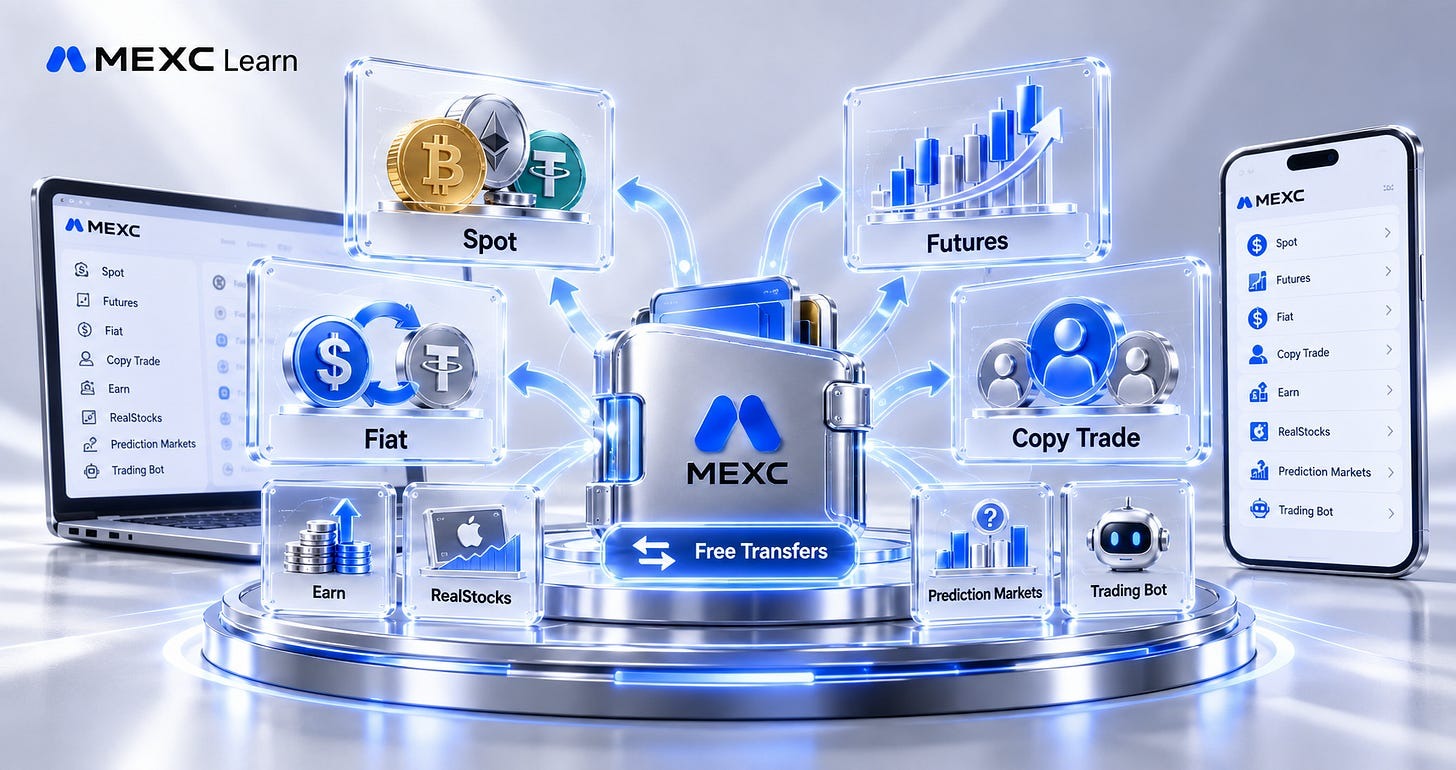
● MEXC organizes accounts by function, including Spot, Futures, Fiat, Copy Trade, Earn, RealStocks, Prediction Markets, and Trading Bot accounts.
● Spot, Futures, Fiat, and Copy Trade are the four core account types beginners are most likely to use.
● Funds can be transferred between different accounts depending on how you use them, with the Fiat account used for fiat-to-crypto and crypto-to-fiat conversions.
● Transfers between MEXC accounts are free, allowing you to move funds whenever needed.
● Both the MEXC website and App support quick fund transfers and let you view your transfer history at any time.
1. What Account Types Does MEXC Offer?
MEXC organizes its accounts by function. The main typesinclude Spot, Futures, Fiat, and Copy Trade accounts, as well as Earn, RealStocks, Prediction Markets, and Trading Bot accounts. Of these, Spot, Futures, Fiat, and Copy Trade are the four core account types beginners are most likely to use. 2. What Is Each Account Used For?**
Spot Account: This account is used for Spot trading. When you buy or sell crypto on MEXC’s Spot market, the assets used for trading are held in your Spot account.
Futures Account: This account is used for Futures trading, including contracts with different margin types. Funds used for Futures trading are held in this account.
Fiat Account: This account is used to move funds into and out of MEXC. Conversions from fiat currency to crypto, or from crypto back to fiat currency, are handled through this account.
Copy Trade Account: This account holds funds used for copy trading. When you follow a lead trader, the system automatically places orders for you based on that trader’s strategy, and the trader can receive a share of your profits. Although copy trading is a form of Futures trading, its assets are held separately in the Copy Trade account.
MEXC also offers Earn accounts for assets allocated to Earn products, RealStocks accounts for RealStocks trading, Prediction Markets accounts for prediction market trading, and Trading Bot accounts for automated strategy trading, supporting a range of asset management needs.
3. How Are the Different Accounts Connected?
To understand how the accounts are connected, follow how funds move between them:
When you start trading, you first convert fiat currency into crypto. The converted assets are held in your Fiat account.
For Spot trading, transfer funds from your Fiat account to your Spot account. For Futures trading, transfer them to your Futures account. The same principle applies to Earn, RealStocks, Prediction Markets, and Trading Bot activities, withfunds transferred directly between your Spot account and the relevant account as needed.
To trade RealStocks or participate in market predictions, transfer funds to your RealStocks or Prediction Markets account. Both support direct transfers to and from your Spot account.
For copy trading, first transfer assets from your Futures or Fiat account to your Spot account. Once you confirm your copy trading settings, the system automatically transfers the specified amount from your Spot account to your Copy Trade account.
When you subscribe to an Earn product, the system transfers the specified amount to your Earn account. After redemption, the funds are returned to the corresponding account.
To use a trading bot for automated strategy trading, create and start a strategy, such as grid trading. The system then transfers the specified amount to your Trading Bot account.
When you stop trading and are ready to cash out, transfer the crypto in your accounts back to your Fiat account, then convert it into fiat currency to complete the withdrawal.
4. Are There Fees for Transfers Between Accounts?
No. Transfers between MEXC accounts are free. You can move funds as needed for trading without paying any additional transfer fees.
5. How to Transfer Funds Between Accounts
Web: Go to the MEXC website → Wallets → Overview / Spot / RealStocks / Futures / Fiat / Prediction Markets → Transferto move funds between accounts.
App: From the MEXC App home screen, tap Wallets → Overview / Spot / RealStocks / Futures / Fiat / Prediction Markets → Transferto move funds between accounts. Transfers to a Copy Trade account must be made through the copy trading page. Funds remain in your Spot account until you submit your copy trading settings. The system then transfers the specified amount to your Copy Trade account.
The same applies to Earn and Trading Bot accounts. The system only transfers the specified amount to the relevant account once you subscribe to an Earn product or participate in grid trading.
6. How to View and Manage Each Account’s Funding History
Web: Go to the MEXC website → Wallets → Funding History, then select the Transfertab to view your transfer history. App: From the MEXC App home screen, tap Wallets → Overview → Transfer → Funding Historyto view your transfer history.
 To view details for an individual account, select it on the Wallets page. The account page shows information such as total assets, crypto holdings, and profit and loss analysis, and provides options to deposit, withdraw, and transfer funds.
Understanding MEXC’s account types and how to transfer assets between them can help you move funds quickly and trade more efficiently.
Recommended Reading:
● Frequently Used Additional Features on Spot Trading Page
● MEXC Token Information and Trading Data FAQ
● How to Place Spot Limit Orders on a Candlestick Chart