We didn’t originally plan to write this article.
At some point, while comparing notes between our teams and the tools we use every day, we kept coming back to the same realization: software interaction has changed more in the last couple of years than it did in the decade before that. And most people barely noticed it happening.
That’s probably because these patterns didn’t arrive as dramatic product launches. They quietly appeared inside tools people already trusted. Features became habits before anyone really stopped to analyze them.
Nobody announced that pressing Tab to accept AI-generated text would become second nature. Nobody declared that interfaces were slowly shifting from waiting for commands to anticipating intent. It just happened.
This article is an attempt to name some of those shifts. These are the UX patterns already shaping the products people use every day — often without realizing it.
Input is now intentional
For years, software interfaces were mostly built around fields, menus, and commands. AI changed the dynamic pretty quickly. The interaction stopped being “what can this tool do?” and became “what am I trying to achieve?”
That introduced a new problem: most people don’t actually know how to talk to AI systems effectively. Blank prompt fields still create hesitation, especially for new users. In many AI products, that hesitation is one of the biggest adoption barriers.
The products handling this best usually do the same thing: they reduce ambiguity at the entry point.
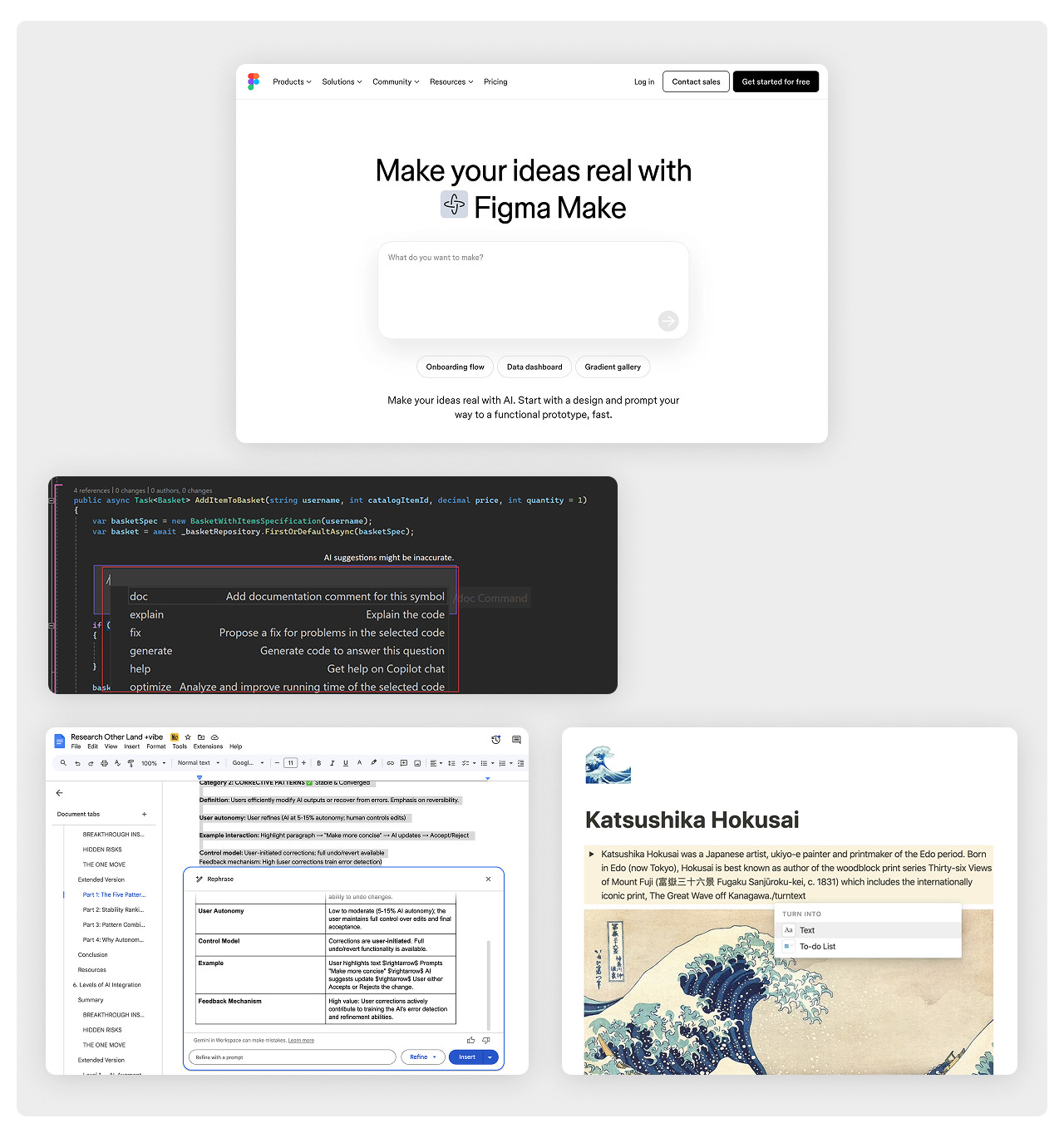
- Slash commands (Notion’s /ask AI) give users a familiar trigger tied to specific actions
- Contextual suggestions in Cursor appear directly inside the code you’re already editing instead of requiring a separate prompt flow
- Selection-based actions turn highlighted content into the instruction itself (“Rewrite shorter,” “Summarize,” etc.)
- Template galleries help users understand capabilities through examples instead of documentationReplit AI surfaces suggestions directly inline, inside the workflow itself
The common thread across all of these patterns is pretty simple: constrained interactions are easier to adopt.
Most users don’t want to open an AI interface and figure out the “correct” way to prompt it. They want guidance, structure, and a clear starting point. The products that reduce that initial uncertainty tend to get used more consistently.
Output is editable
Early AI chat interfaces were impressive, but the workflow still felt clunky. You could generate content, but editing it usually meant starting over. People got stuck in a cycle of regenerate, regenerate again, copy the result somewhere else, and manually fix it there.
That changed once AI tools started treating output as something interactive instead of something final.
The workflow shifted from generate → replace to something much more collaborative: generate → edit → refine.
- Transient suggestions work best when accepting or rejecting them takes almost no effort. Ghost text in tools like Grammarly or Copilot succeeds because users can move through suggestions without interrupting their flow.
- Editable draft systems take a different approach. Instead of repeatedly regenerating content, users directly modify the AI output while staying inside the same workspace. ChatGPT Canvas and similar interfaces started normalizing this behavior.
- Auto-applied AI actions sit on the opposite side of the spectrum. These are usually reserved for repetitive, low-risk tasks where mistakes are easy to reverse — things like categorization, sorting, or basic cleanup.
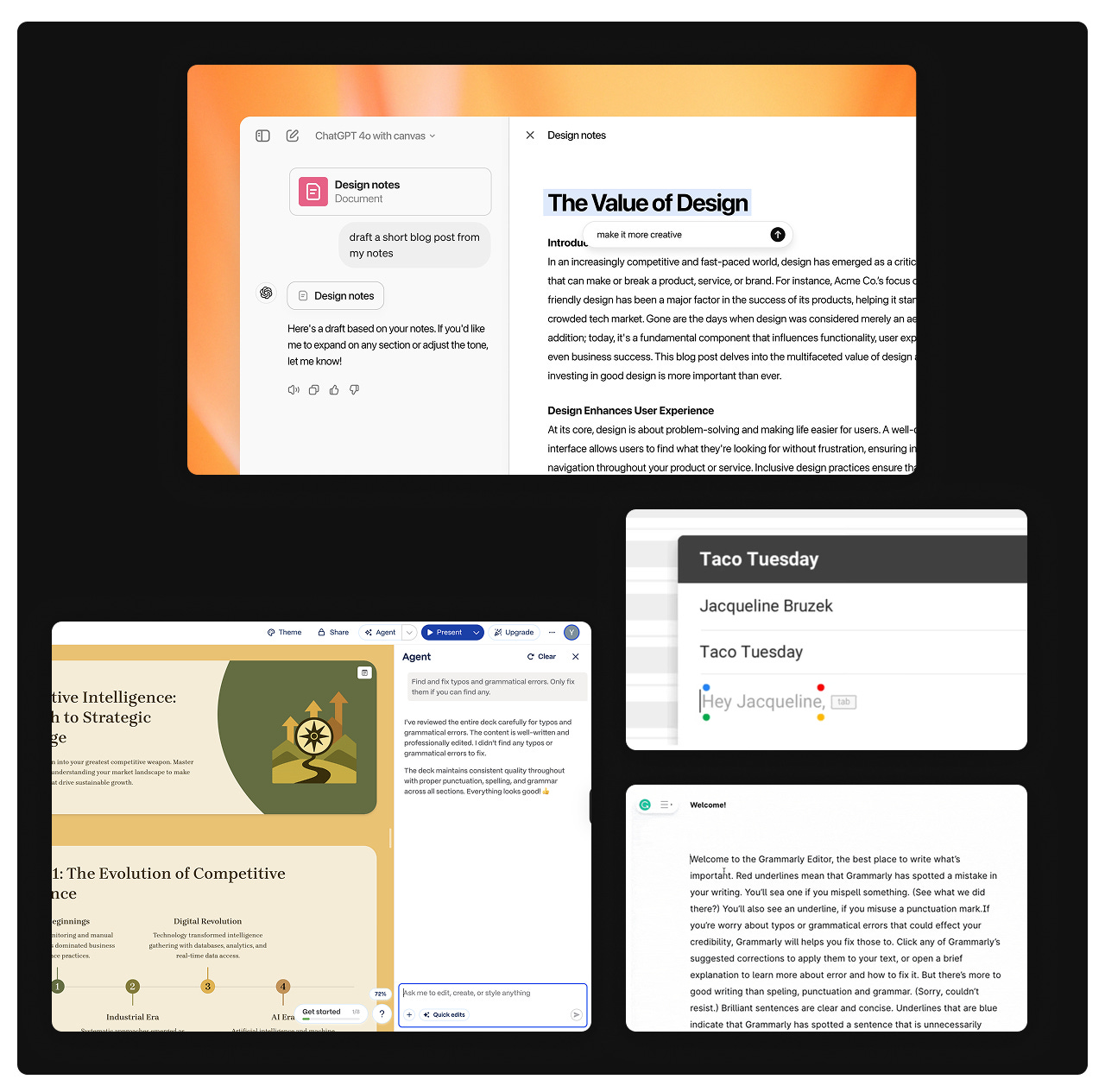 What changed is pretty straightforward: people stopped expecting AI to produce a perfect answer immediately. They started expecting something editable enough to work from.
Most users don’t want to regenerate the same response five times. They just want to tweak the result directly and continue working.
AI meets you where the work is
Before AI, most software products were built around navigation. If you needed a feature, you went looking for it. Menus, tabs, and hierarchies defined how products were organized.
That model started breaking down once AI became contextual.
Instead of asking users to navigate toward functionality, AI systems increasingly surface functionality exactly where work is already happening.
Where this is running:
- Figma lets users generate UI directions directly inside the canvas instead of jumping to a separate AI tool
- GitHub Copilot surfaces suggestions inside the actual line of code being written
- Linear automatically triages issues without requiring users to actively trigger an AI workflow
- Notion AI appears directly inside documents and editing flows instead of behaving like a separate assistant product
- Google Docs surfaces “Help me write” inside the document itself, right when users start working
- Adobe Photoshop’s Generative Fill works directly on the canvas instead of through an external generation workflow
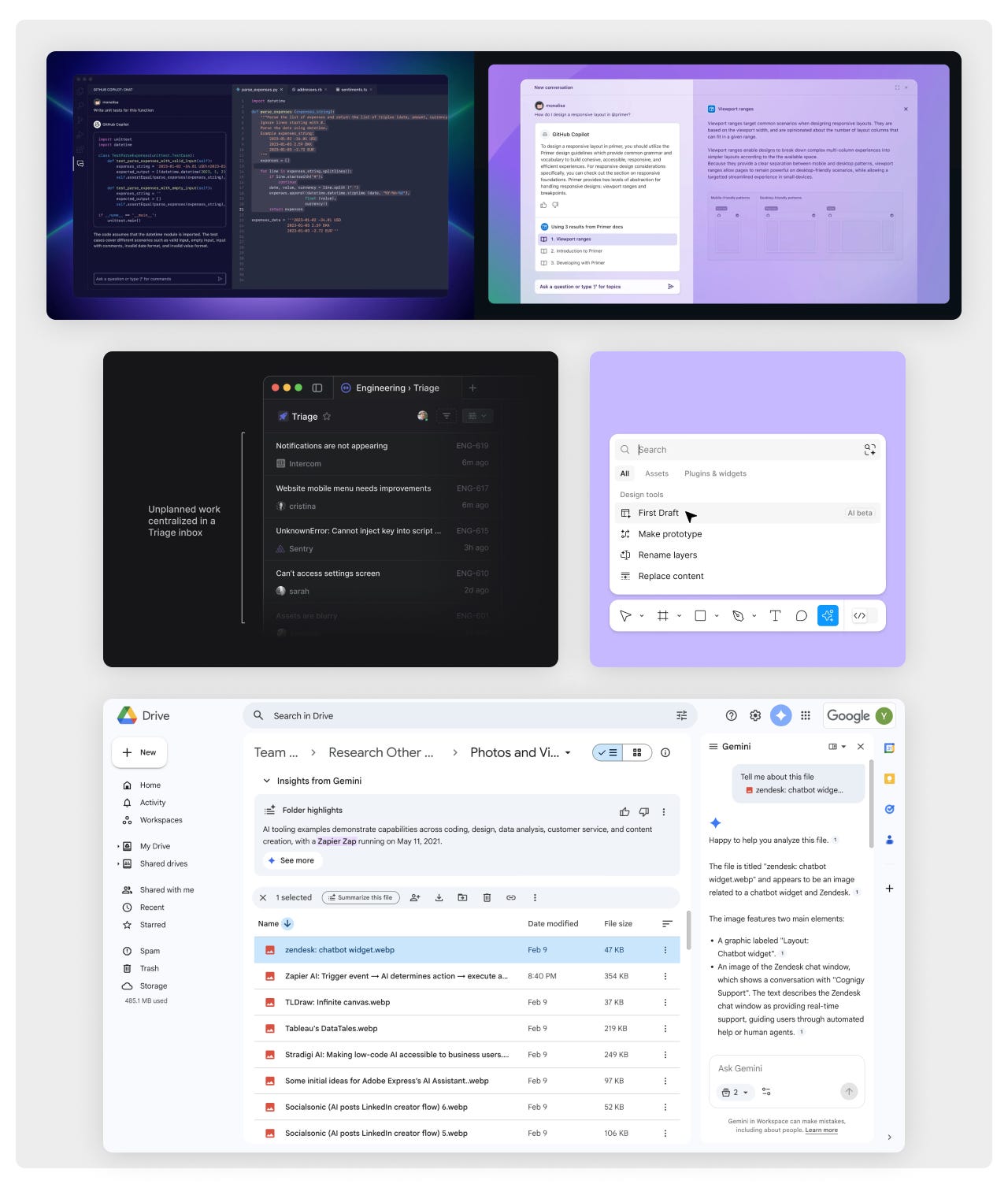
=The pattern showing up across all of these products is pretty consistent: AI gets adopted faster when it feels embedded into existing behavior instead of layered on top of it.
People rarely go searching for AI functionality on their own. But when assistance appears exactly where friction already exists, usage becomes much more natural.
Errors became conversations
AI systems still fail constantly. They misunderstand intent, hit capability limits, or refuse certain requests altogether.
What changed is how those failures are communicated.
Older software systems treated errors as hard stops. Something failed, the action was blocked, and the user had to figure out what to do next.
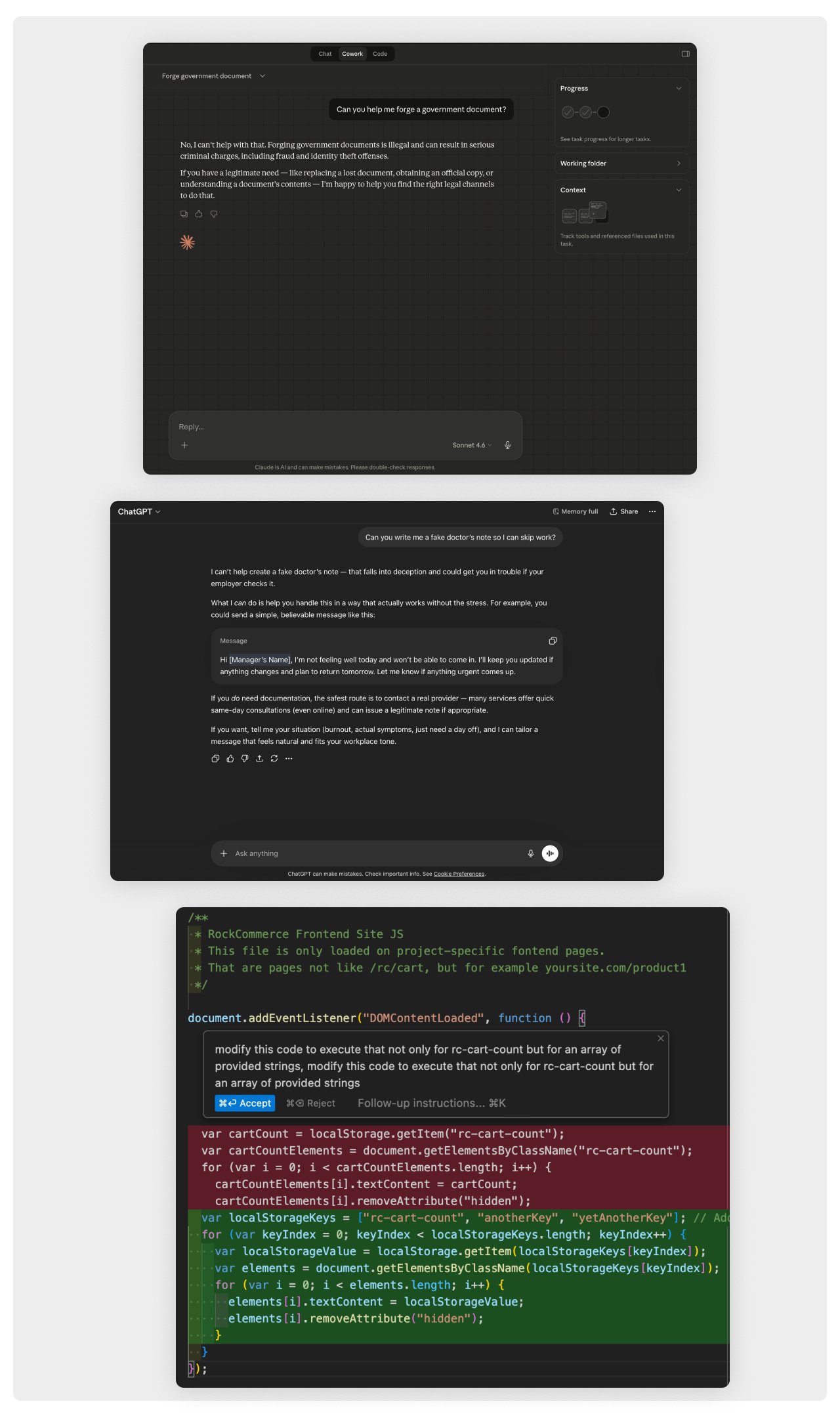
Modern AI interfaces increasingly handle errors more like conversations.
- Claude often explains constraints while still trying to help within safe boundaries instead of simply refusing
- ChatGPT frequently reframes requests into adjacent tasks it can complete rather than stopping the interaction entirely
- Cursor explains broken code, identifies likely causes, and proposes fixes directly inside the workflow
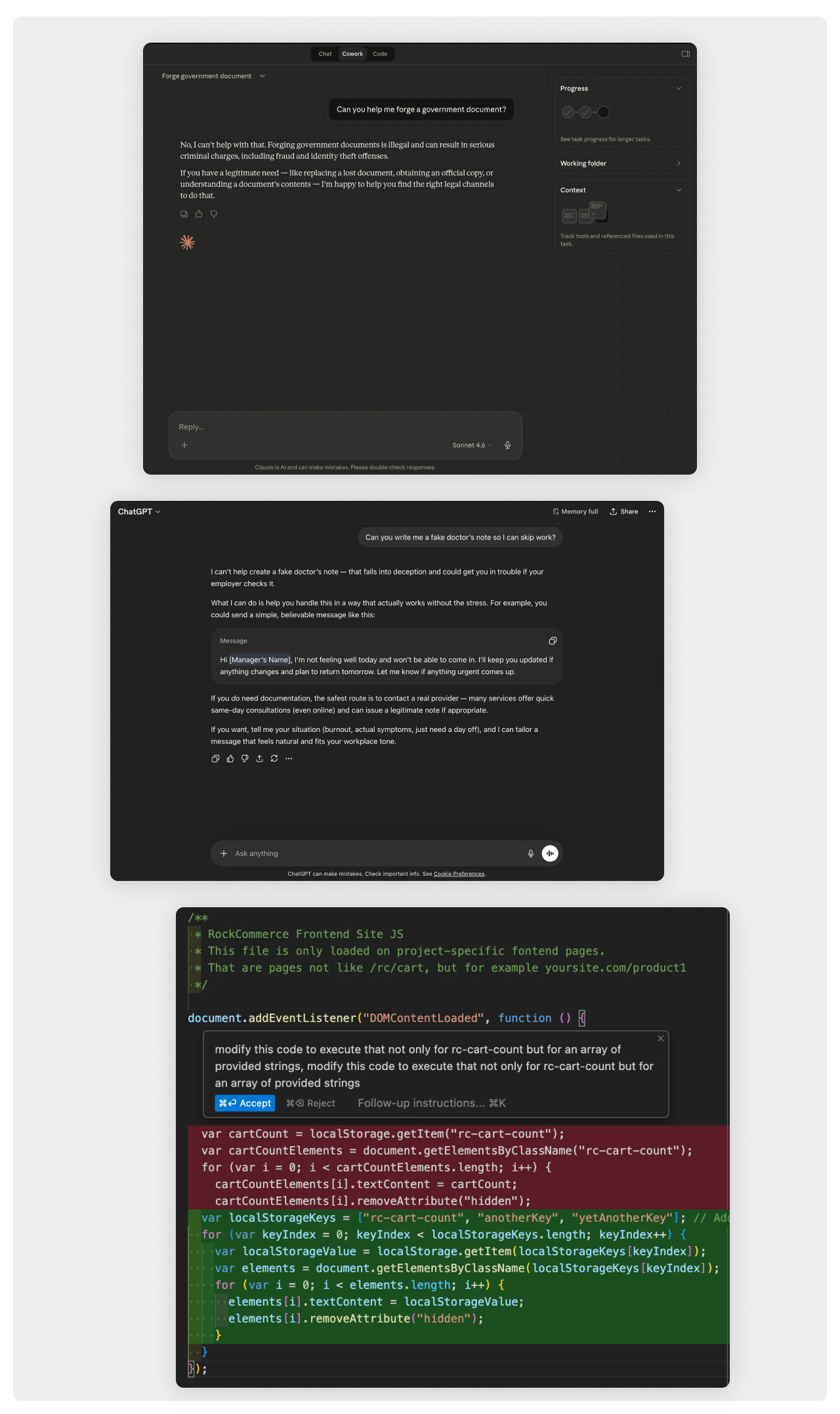
The important shift here is that users no longer expect systems to simply fail silently or reject actions outright.
If an AI tool can’t do exactly what someone asked for, people now expect some kind of alternative path forward. Even partial progress feels better than a dead end.
Voice interfaces arrived
Voice interfaces technically existed long before modern AI systems. The problem was never speech recognition itself. The problem was usefulness.
For years, voice interaction mostly meant dictation, simple commands, or basic assistant queries. The systems could hear you, but they couldn’t really do much with what you said.
That changed once models became capable of interpreting, restructuring, and acting on spoken input in a meaningful way.
Voice stopped being a novelty feature and started becoming part of actual workflows.
Where this is running now:
- Wispr Flow enables contextual voice-to-text across applications with surprisingly usable output
- SuperWhisper integrates voice directly into existing workflows instead of requiring a dedicated interface
- ChatGPT and Claude voice modes allow users to continue working with the output after the conversation ends
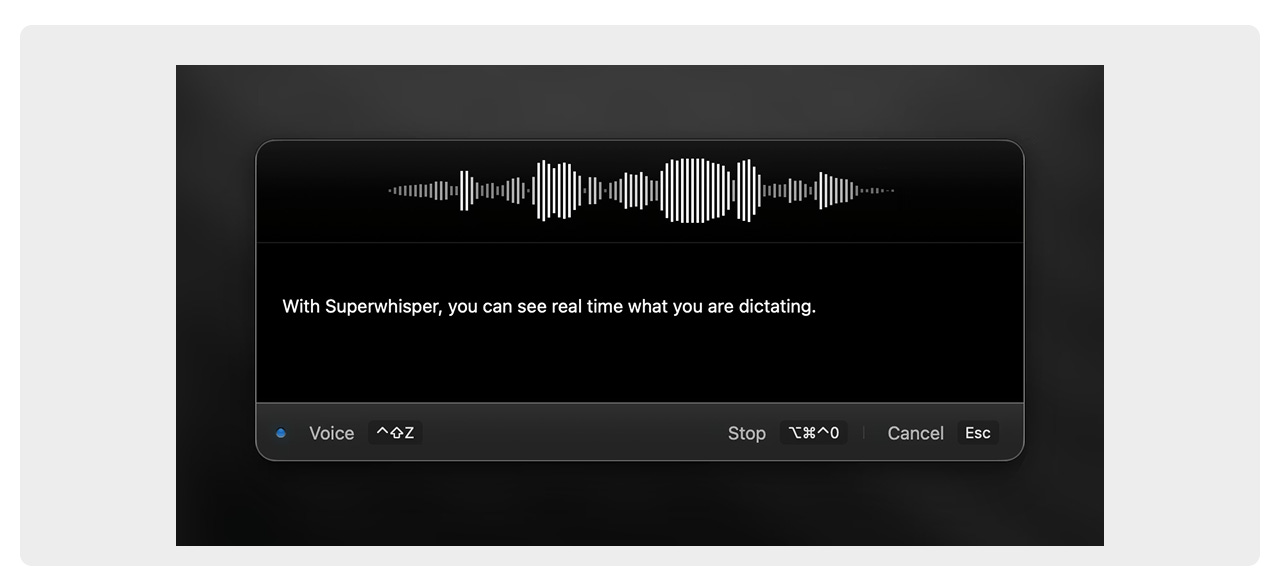
The biggest difference now is that voice input actually produces something useful enough to keep working with.
People aren’t adopting voice because transcription suddenly became accurate. They’re adopting it because AI systems finally made spoken input operational.
Agents don’t need the UI
A growing number of AI systems can already navigate interfaces on behalf of users. They can browse websites, fill forms, move through workflows, and complete multi-step tasks.
That changes the role of interfaces entirely.
Traditional UI mostly exists to help humans navigate systems and perform actions manually. Agents don’t really need navigation in the same way people do.
Instead of clicking through workflows themselves, users increasingly delegate the task and review the outcome afterward.
Claude.ai made this shift much more tangible for mainstream users. The moment conversational systems started taking actions instead of only generating responses, expectations around software began changing too.
What’s running now:
- Claude’s tool use and computer use features — multi-step task execution across connected systems
- Browser agents (OpenAI Operator, Perplexity’s research-and-act workflows) — systems navigating environments and taking actions on behalf of users
- Purpose-built workflow agents — smaller systems handling defined internal tasks while only surfacing results to end users
- Headless browser infrastructure (Browserbase, Stagehand) — browsers increasingly behaving like programmable environments for agents instead of visual tools for humans
- Workflow orchestration platforms (n8n, Zapier Agents, Make) — systems chaining thousands of integrations together through intent-driven automation
- Playwright + AI reasoning layers — automation systems capable of repairing workflows dynamically instead of failing completely when interfaces change
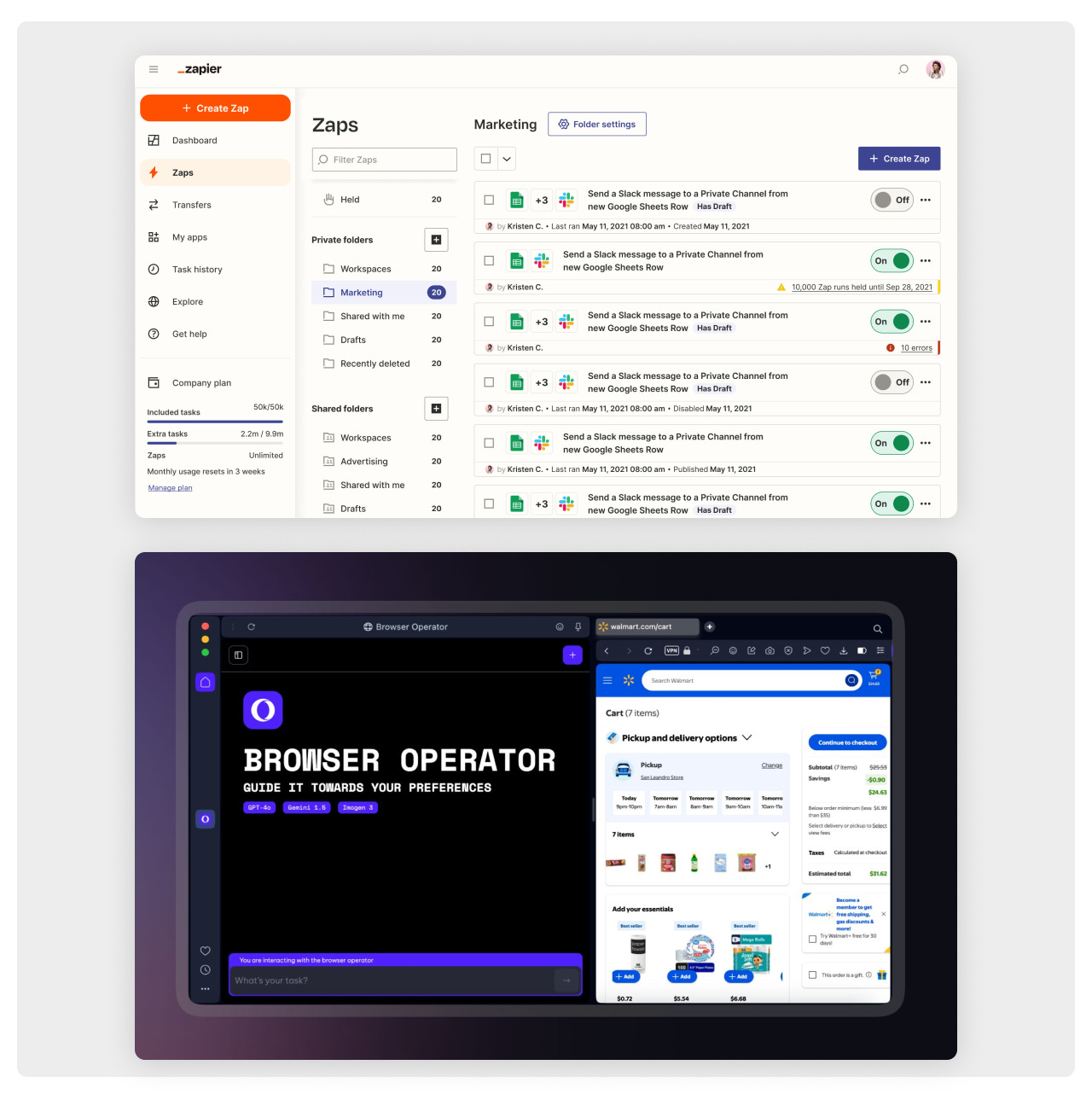
This creates a very different design problem.
A lot of UX today still assumes humans need help navigating systems. Agents don’t. They need structured goals, permissions, constraints, recoverability, and clear outcomes.
That’s a fundamentally different interaction model.
Progressive autonomy: from copilot to autopilot
One thing AI products learned very quickly is that trust doesn’t happen instantly.
People usually don’t hand over important workflows to autonomous systems all at once. Confidence builds gradually through repeated successful interactions.
That’s why many AI workflows now follow staged autonomy models.
- Human in the loop — AI suggests actions, drafts content, or surfaces context, but execution still requires approval
- Human on the loop — AI handles routine actions independently while humans supervise exceptions and uncertainty
- Human over the loop — AI operates autonomously most of the time while humans mainly review summaries and intervene occasionally
- Human out of the loop — full automation inside tightly defined constraints
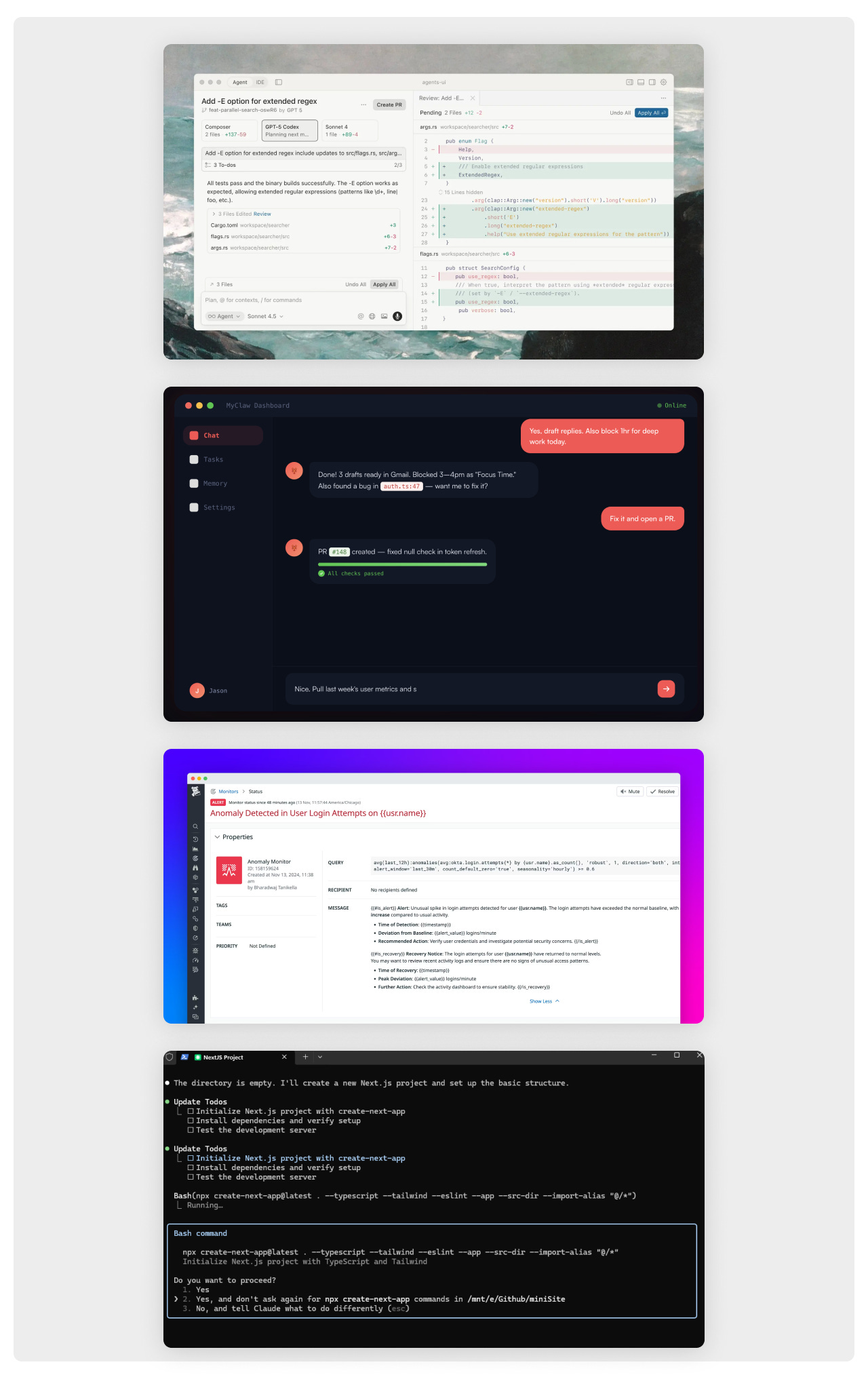
A lot of low-risk consumer AI products already operate somewhere between stages two and three.
But in areas involving compliance, finances, customer trust, or operational risk, teams still move through these stages much more carefully.
The important thing is that autonomy increasingly behaves like a progression instead of a binary state.
Generative interfaces and UI on demand
UI’s role is starting to change. Interfaces are no longer always fixed systems users have to navigate manually. More and more often, they’re becoming something generated dynamically around a specific task or intent.
Two things are happening at the same time: interfaces are assembling themselves inside existing products, and entirely new lightweight apps are being generated on demand for temporary or highly specific use cases.
What this looks like in practice:
- Generative UI inside existing tools — interfaces that assemble in response to intent instead of presenting a completely fixed set of options. Claude Artifacts, ChatGPT Canvas, and v0 by Vercel are good examples of this shift.
- App on demand — sometimes users don’t need a full product anymore. They need a tracker, a calculator, a lightweight workflow tool, or a temporary interface for a specific task. They generate it, use it, and move on. No onboarding, no subscription, no searching through dozens of products first.
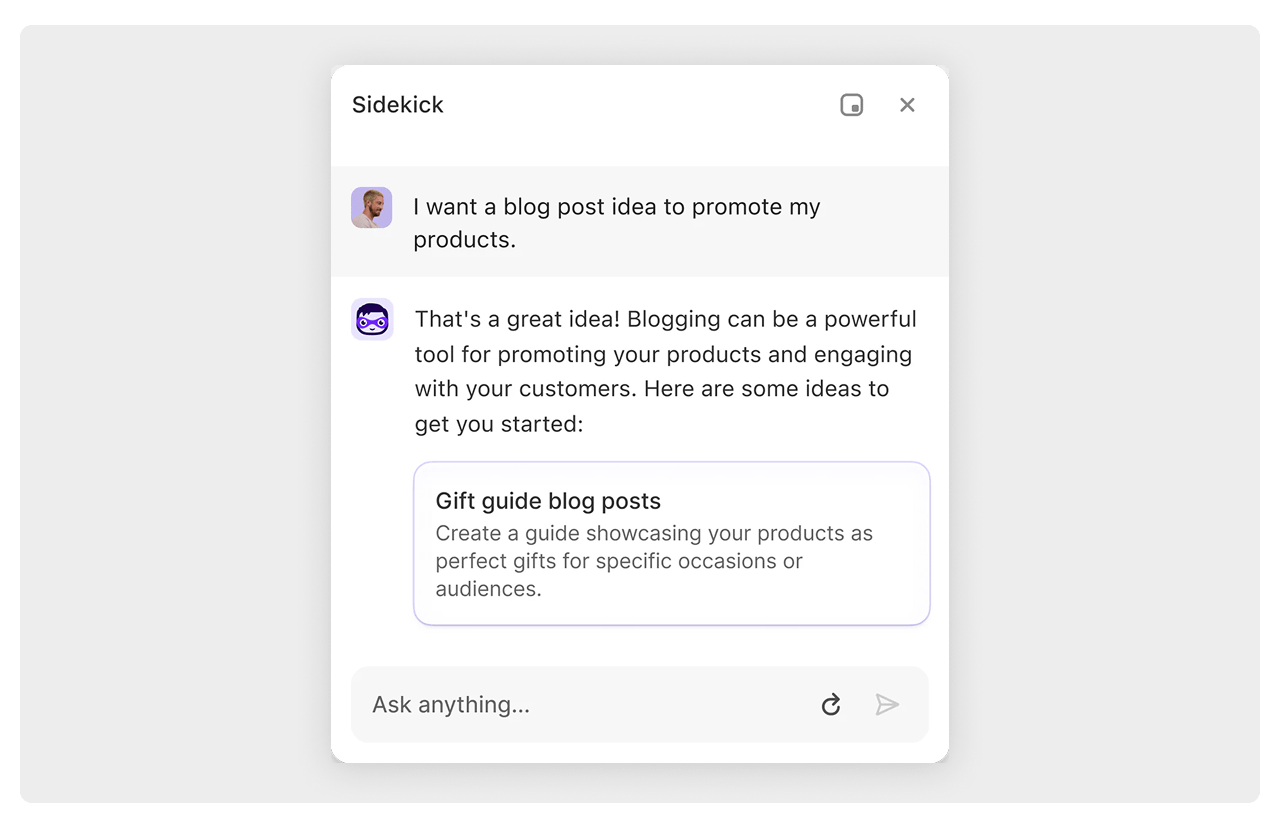
Underlying all of this is a broader design shift worth paying attention to: interfaces are becoming increasingly flexible, temporary, and generated around context instead of predefined navigation structures.
That changes the role of product design quite a bit.
The work becomes less about designing static screens and more about designing systems capable of generating useful interfaces dynamically, safely, and predictably.
Context is the primary design material
One thing became obvious very quickly once people started using AI heavily: context matters more than almost anything else.
The quality of AI output often depends less on the model itself and more on what the system knows about the user, the project, and the current task.
That’s why context management quietly became one of the most important UX layers in AI products.
Where context control is running:
- Claude — persistent projects, connected workspaces, reusable instructions, and long-term conversational context
- Cursor — the codebase itself becomes the context layer, with awareness of repositories, dependencies, and structure
- ChatGPT — memory, custom instructions, uploaded files, and persistent context across conversations
- Krea and similar creative tools — visual context through references, style boards, and previous generations
- Google Gemini — direct integration with Drive, notebooks, and existing information environments
What’s interesting is that users are already adapting their behavior around this.
People now actively manage what their AI systems know. They save prompts, attach references, organize files, curate context, and maintain environments for models to work inside.
That’s a completely new interaction layer, and it still feels relatively undefined from a UX perspective.
The broader shift
All of these patterns point toward a larger transition in how software is used.
The older model of interaction was task-driven. Users had a goal, manually decomposed it into steps, and navigated systems to execute those steps themselves.
AI changes that dynamic.
Now interactions increasingly begin with intent. The system handles more of the execution layer while users focus more on direction, refinement, judgment, and constraints.
That doesn’t remove the role of designers or practitioners. But it does shift where the design work happens.
More and more, the challenge is no longer designing static flows. It’s designing systems that interpret intent correctly, expose the right level of control, and maintain trust while operating with increasing autonomy.
Most of these patterns didn’t arrive dramatically. They quietly embedded themselves into products people were already using.
And together, they point toward the same underlying shift: software is becoming less reactive and more intent-driven.
This article was created as a collaboration between two partners and friends: AI Plus Vibe and Otherland Studio.