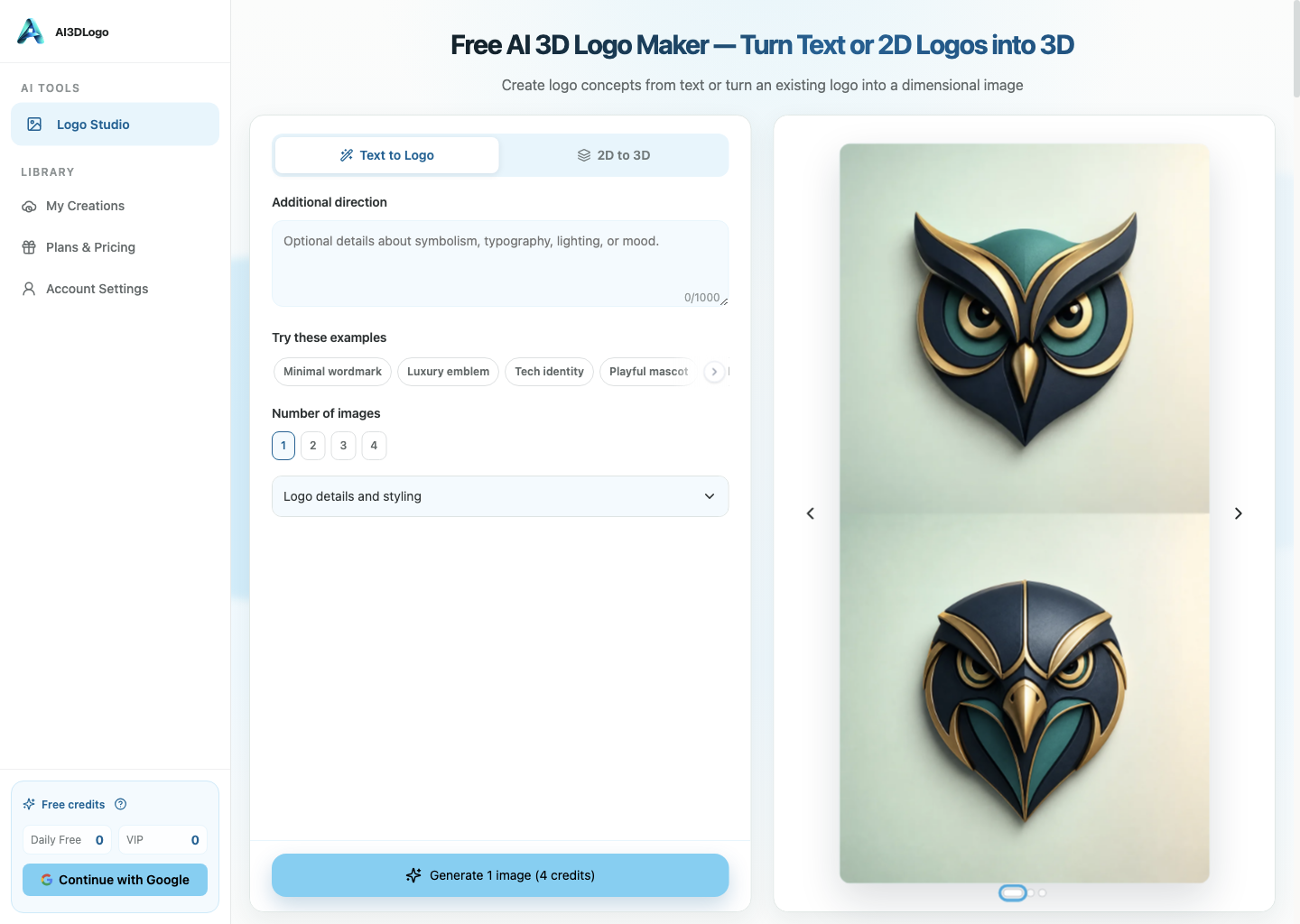
Disclosure: I work on AI3DLogo, the AI 3D logo workflow used as the concrete example in this article.
An image-generation interface becomes much easier to reason about when it treats the user’s starting material as an explicit contract. That idea connects to the broader engineering discussions in HackerNoon’s software development and product management archives: a useful creative surface still needs observable state, validation, and failure handling.
Technical Walkthrough: From Brief Or Source Logo To A Reviewable Result
The workflow begins by choosing one of two routes, not by sending an ambiguous request to the same endpoint.
- Select Text to Logo for a structured brief with no source image, or 2D to 3D for exactly one source logo.
- Validate the request fields and, for the image route, accept one JPEG, PNG, or WebP file up to 24 MB.
- Load the current model, aspect ratio, authentication, and per-output credit capabilities from the live API response.
- Calculate the displayed total from the selected output count before the generation request is submitted.
- Create the job, render its current state, and keep provider or validation errors visible instead of replacing them with a generic success screen.
- Show each completed raster image in a browser review state before making the download action the end of the flow.
The request contract can be represented without pretending every provider uses the same internal schema:
{
  "mode": "text_to_logo | two_d_to_three_d",
  "source_images": 0,
  "brief": {
    "brand_name": "Example",
    "slogan": "optional",
    "industry": "software",
    "style": "geometric",
    "material": "brushed metal",
    "color": "blue",
    "background": "dark",
    "composition": "centered"
  },
  "output_count": 2,
  "aspect_ratio": "current_supported_value"
}
For the 2D-to-3D route, source_images becomes 1 and the request includes the validated upload reference. For Text to Logo it remains 0. The important implementation point is that the client and server should agree on that distinction before a provider request is created.
Under The Hood: Capabilities Are Runtime Data
Model availability, aspect ratios, login requirements, and credit prices can change. They should be treated as API data rather than serialized into permanent editorial copy or assumed by a stale client.
The client can normalize the capabilities response into the controls it needs to render, while the server still validates the submitted combination. If a model becomes unavailable, an aspect ratio is missing, or the selected output count produces a different total, the request should fail clearly and ask the user to review the current options.
That server-side validation matters because the UI is not the authority once a request crosses the network boundary. A stale browser tab can hold an old price or unsupported model. The endpoint needs to recalculate the current contract instead of trusting the displayed value.
Failure States Belong In The Creative Workflow
Normal edge cases include an invalid or oversized file, an empty brand name, an unavailable provider, a safety rejection, a missing result, temporary storage failure, or a generated option that is technically complete but unusable because the spelling or geometry is wrong.
The application cannot turn all of those into one error message. Input failures should point back to the field or file. Provider failures should preserve enough state for a safe retry when appropriate. Missing or invalid outputs should not unlock a download button. Completed images should still be labeled as concepts that require human review.
The W3C File API is a useful public reference for browser file handling, but it does not remove the need for server validation. Client checks improve the interaction; server checks protect the actual request boundary.
The difficult part of an AI 3D logo workflow is not producing a glossy image. It is keeping the path from brief to review honest.
That distinction shaped the current workflow in AI3DLogo. It is an online AI 3D logo maker for exploring a three-dimensional visual direction from either a structured text brief or an existing 2D logo. Those two starting points may lead to a similar-looking result, but they should not be represented by the same form or the same promise.
Two Modes Need Two Clear Input Contracts
The first mode is Text to Logo. It starts without a source image. The user describes the brand and the intended visual direction through fields such as brand name, slogan, industry, style, material, color, background, composition, and any additional direction that matters for the concept.
The second mode is 2D to 3D. It starts from exactly one existing logo and asks for a three-dimensional restyling direction. The current upload boundary is one JPEG, PNG, or WebP image up to 24 MB. That source is not an optional decoration; it is the visual reference the workflow is supposed to reinterpret.
Keeping those contracts separate prevents several confusing states:
- Text to Logo should not quietly depend on an image the user never supplied.
- 2D to 3D should not imply that several source marks will be merged.
- The interface should reject an unsupported file before a generation request begins.
- Copy should describe a visual concept, not an editable 3D scene or model file.
This is a small product boundary, but it does real work. A clear input contract makes validation understandable and gives the user a better way to diagnose a result that missed the brief.
Structure The Brief Before Asking The Model To Interpret It
“Make it premium” is not much of a design brief. It leaves the model to guess which part should communicate premium: the material, lighting, color, typography, composition, background, or all of them at once.
A structured brief makes those choices visible. The brand name and slogan carry text that needs exact review. Industry provides context without dictating a visual cliché. Style and material point toward a visual treatment. Color and background establish contrast. Composition provides another constraint on how the mark should sit in the frame. Additional direction catches the one fact that does not fit a preset field.
The purpose of this structure is not to pretend that prompt writing becomes deterministic. It is to make the request inspectable. If the result uses the wrong material or buries the slogan, the user can revise the relevant part of the brief instead of rewriting an opaque paragraph from scratch.
For a first pass, I would keep the brief intentionally narrow:
- Enter the exact brand name and, only if needed, a short slogan.
- Choose one primary style and one material direction rather than stacking conflicting treatments.
- Pick a color and background combination with enough contrast to review the lettering.
- Select an available composition and aspect ratio for the place where the concept will be evaluated.
- Add one concrete instruction that would otherwise be easy to miss.
That sequence does not guarantee a usable logo. It simply gives the generation request a coherent target and gives the reviewer a checklist afterward.
Output Count Is Both A Creative And A Cost Decision
The workflow can request one, two, three, or four options in a single generation. More options can be helpful when the brief is still exploratory, because they expose different interpretations without forcing the user to rewrite the input after every image.
They also change the displayed total credit cost because credits are charged per output. That relationship belongs in the interface before the request starts. A user deciding between one careful concept and four exploratory concepts should be able to see the current total rather than discover the multiplication after generation.
The same principle applies to models, aspect ratios, authentication requirements, and prices. They come from live capabilities and can change. Content about the product should point users back to the controls they see now instead of freezing a model name or price into a permanent promise.
Generation Is A Checkpoint, Not Approval
When the browser displays a completed option, the creative work has reached a review state. It has not reached automatic brand approval.
I would review each result in at least five passes:
- Text accuracy: check every letter in the brand name and slogan. Generated text can look plausible at a glance while still being wrong.
- Geometry: inspect edges, depth, perspective, shadows, and the relationship between separate shapes.
- Composition: make sure the mark still reads at the intended crop and is not relying on a decorative background to feel complete.
- Distinctiveness and resemblance: look for an uncomfortable similarity to an existing identity or familiar symbol.
- Rights and destination fit: confirm that the source logo, requested elements, intended use, applicable law, product policy, and provider terms permit the next step.
This review is especially important in 2D-to-3D mode. A visually attractive restyle can still distort the original proportions, damage legibility, or introduce a material effect that conflicts with the existing brand system.
The downloadable result is a raster image. It should not be described as an editable 3D model, production-ready scene, or guaranteed trademark-safe identity. A browser preview can help someone explore a direction; it cannot replace source files, identity guidelines, legal clearance, or a designer’s final production work.
Honest Limits Make The Creative Tool More Useful
Generative image systems can fail in ordinary ways. A request may be rejected by validation or safety checks. A provider may be unavailable. A selected model or aspect ratio may change. Generated spelling, shape, layout, distinctiveness, and resemblance can all require another pass. Guest results may be temporary, while retention and a creation history depend on account state and tier.
Those constraints are not a reason to make the product story vague. They are a reason to describe the job more precisely.
The useful promise is not “press a button and receive a legally unique final brand.” The useful promise is smaller: turn a structured text brief or one existing 2D mark into one or more 3D-style visual concepts, show the current choices and total cost before generation, let the user review the outputs in the browser, and provide a downloadable image when an option is worth taking forward.
That boundary also changes how the tool should be evaluated. Speed matters, but so do input clarity, visible cost, reviewability, and the absence of exaggerated guarantees. A fast result that hides its assumptions is harder to use than a result that makes the next decision obvious.
A Practical First Session
For a new identity direction, start with Text to Logo and request one or two options from a brief with a short brand name, one visual style, one material direction, and a high-contrast background. Review spelling and composition before expanding the option count.
For an existing identity, use 2D to 3D with one clean source logo that you have the right to process. Keep the restyling request focused, then compare the generated geometry and lettering with the source before downloading anything.
In both cases, the first useful outcome is a reviewed concept, not an automatic final logo. If the concept survives the spelling, geometry, resemblance, and rights checks, it can become input for the next design decision. If it does not, the structured brief makes the next revision easier to explain.
That is the workflow AI3DLogo is designed around. You can inspect the current modes and live options here:
Disclosure: I work on AI3DLogo and used its current workflow as the concrete implementation example. The generated images still require human review and are not guaranteed to be unique, trademark-safe, or production-ready.